
How To Remove Furniture From Property Photos
How to remove furniture from property photos with AI — empty a whole room or delete dated pieces, then stage it.
Key Takeaways
- AI removes furniture and rebuilds the floor and walls behind it.
- Empty a whole room or delete individual dated, bulky pieces.
- It creates a clean canvas to virtually stage with fresh furniture.
- It is far faster than Photoshop and needs no editing skill.
- Removed furniture leaves no patch when started from a sharp photo.
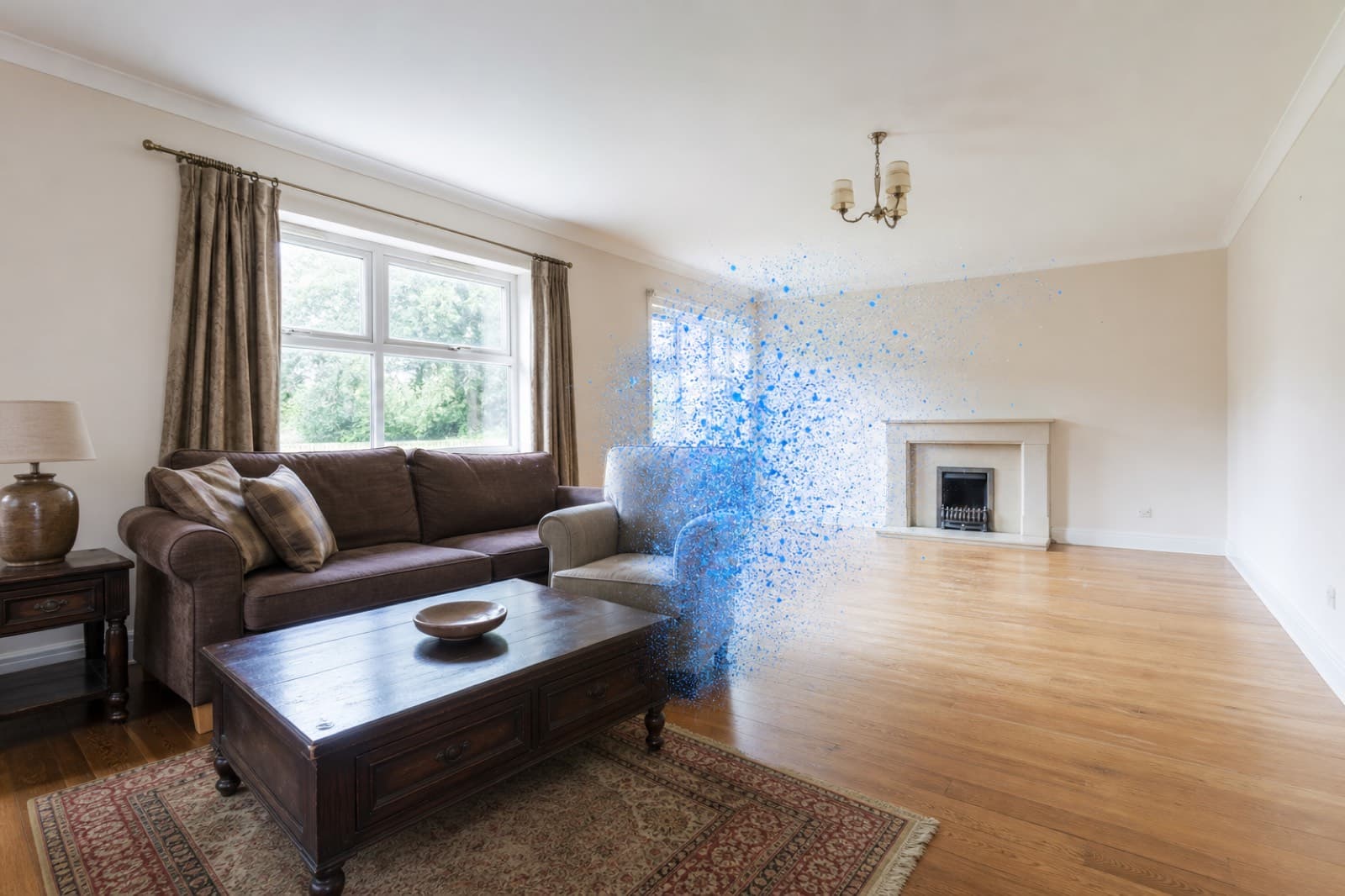
Removing furniture from a photo is one of the most useful cleanup tasks in property marketing. It lets you present an empty, clean room — or prepare a photo for virtual staging. Here is how to do it with AI.
Step by step
- Upload your photo. Drag the room photo into an AI furniture remover like PhotoClear.
- Brush over the furniture. Mark the pieces you want gone — a single dated item, or the whole room.
- Let the AI clear it. The furniture is removed and the floor, walls and skirting are rebuilt behind it in seconds.
- Download or stage. Save the clean, empty room, or add fresh furniture with AI virtual staging.
Empty a room or remove one piece
You have full control. You can empty an entire room — sofas, beds, tables, wardrobes — to present a blank canvas, or target a single tired, bulky or mismatched item while leaving the rest of the room intact. Old furniture can make a property feel smaller and dated, so removing it digitally is often quicker and cheaper than moving real furniture.
Furniture removal then staging
The most powerful workflow combines two steps. Remove the existing furniture to create a clean, empty room, then add fresh, true-to-scale furniture with AI virtual staging. The result is a complete transformation — tired or cluttered before, beautifully presented after — all from one photo.
Common pieces to remove
- Sofas, armchairs, coffee tables and units
- Beds, wardrobes, chests and bedside tables
- Dining tables, chairs and sideboards
- Desks, shelving and office furniture
- Bulky appliances and freestanding fittings
Used responsibly, furniture removal simply lets buyers see the room itself. Keep the image true to the property's permanent features and layout.
Frequently Asked Questions

The PhotoClear Team
AI Photo Cleanup Specialists
The PhotoClear team builds AI photo cleanup tools that help estate agents, photographers, developers and hosts remove clutter and distractions from property photos in seconds.
Clean up your property photos with AI
Put this guide into practice. Remove clutter and distractions from your photos in seconds. Try PhotoClear free.
10 free credits on sign-up · No card required
Related Articles
How To Remove Wheelie Bins From Property Photos
How to remove wheelie bins and rubbish from property photos with AI, for a tidy frontage and a stronger lead image.
How To Remove Cars From Driveway Photos
How to remove cars from driveway and street-scene photos with AI, and rebuild a clean exterior in seconds.

Best AI Object Remover For Real Estate
What to look for in an AI object remover for real estate photos, and why a property-specific tool beats a generic one.