PhotoClear

Virtual decluttering

Virtual decluttering for property photos

Virtual decluttering uses AI to remove clutter, furniture and distractions from property photos, then rebuild clean surfaces behind them. The complete guide to decluttering listing photos in seconds.

10 free credits on sign-up · No card required

Cluttered room transformed into a clean space by virtual decluttering

Quick answer

What is virtual decluttering?

Virtual decluttering is the use of AI to digitally remove clutter, furniture, personal items and distractions from property photos and rebuild the clean surface behind them. PhotoClear does this in seconds: upload a photo, mark the clutter, and download a tidy, spacious, portal-ready image — without a physical clear-out.

Key takeaways

  • Virtual decluttering removes clutter and distractions digitally with AI.
  • It presents occupied, lived-in homes as tidy and spacious.
  • No physical clear-out, retouching turnaround or editing skill needed.
  • Often the first step before AI virtual staging.
  • Tidy photos attract more clicks, enquiries and viewings online.

What is virtual decluttering?

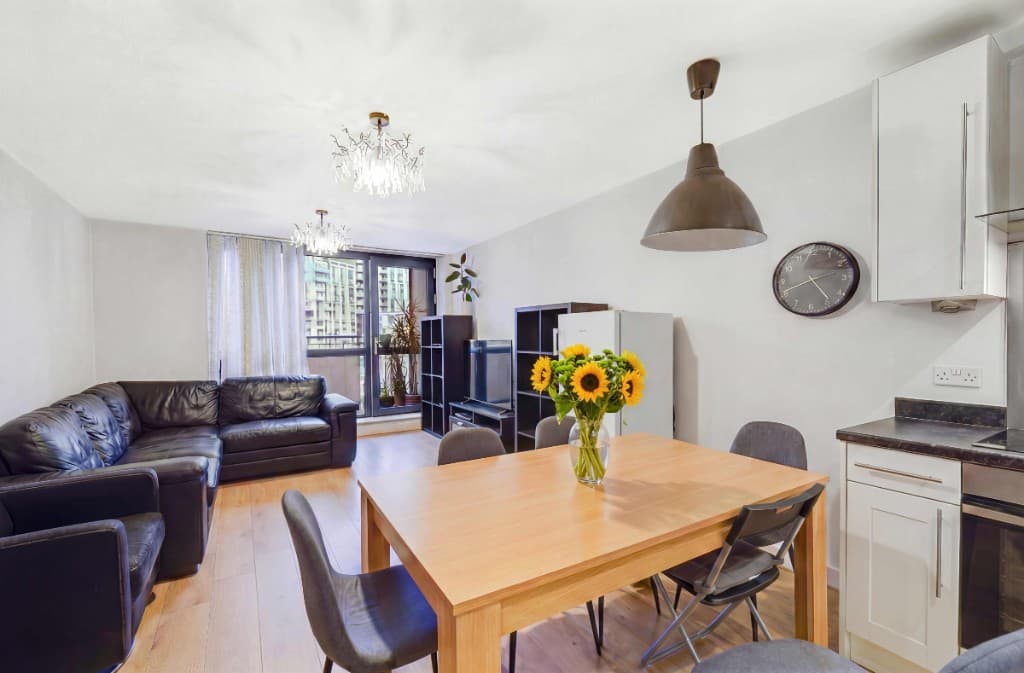
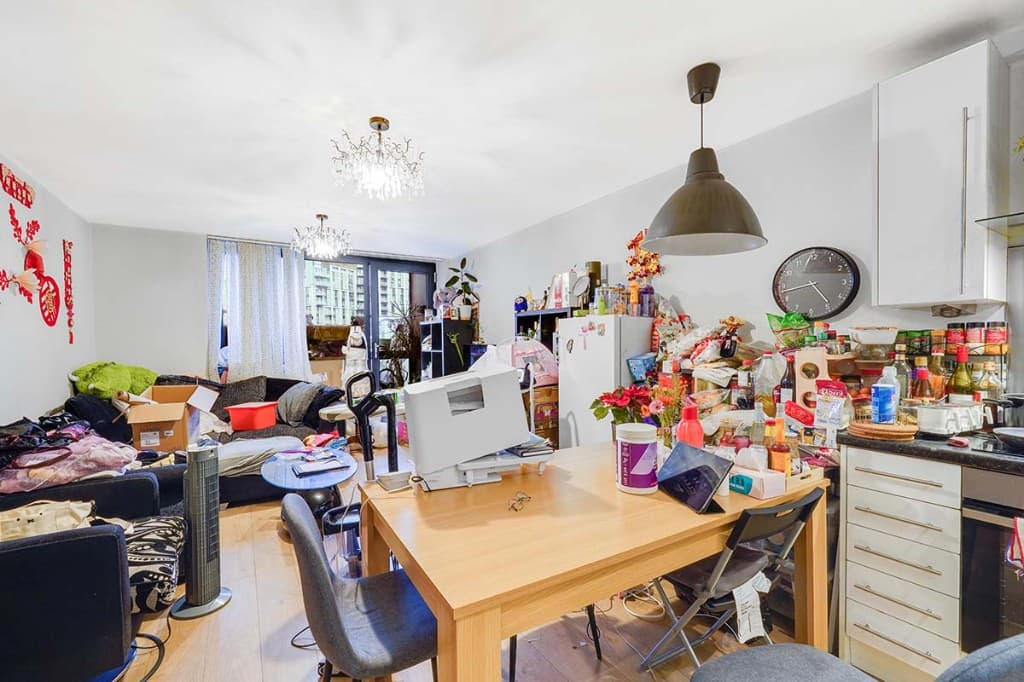
Virtual decluttering is the AI-powered removal of clutter, personal items, furniture and distractions from property photographs, rebuilding the clean surface behind them. It creates a tidy, neutral image without physically clearing the room.
How is it different from virtual staging?

Decluttering removes things to create a clean, tidy room. Virtual staging adds things — furniture and décor — to an empty room. Many photos use both: declutter first, then stage. PhotoClear declutters; Virtual Staging Studio stages.

Is virtual decluttering worth it?

Yes. Tidy, spacious photos consistently attract more clicks and viewings than cluttered ones. A light PhotoClear declutter is 1 credit — as low as 50p per image — in seconds, far cheaper and faster than a physical clear-out or manual retouching.

What is virtual decluttering?

Virtual decluttering is the process of using AI to digitally remove clutter, personal belongings, furniture and distractions from property photographs, and rebuild the clean floor, wall or surface behind them. Rather than physically tidying the room or editing each item by hand, you upload the photo, mark what you want gone, and the AI clears it in seconds.

It solves one of the most common problems in property marketing: occupied, lived-in homes that photograph poorly. Vendors who have not moved out, tenants with belongings everywhere, and probate properties full of a lifetime’s possessions all let listings down. Virtual decluttering creates a clean, neutral image without asking anyone to clear the room.

PhotoClear is a virtual decluttering tool built for property professionals, sitting in the ReHub Studio ecosystem. It declutters in seconds, and the cleaned photo can feed straight into AI virtual staging for a complete before-and-after transformation.

Why it works

Benefits of virtual decluttering

No physical clear-out

Tidy lived-in homes without moving anyone’s belongings.

Show true space

Remove visual noise so buyers see the room’s real size and layout.

Fast and affordable

Declutter in seconds from 50p per image — not hours of retouching.

Ready for staging

Create a clean canvas, then add furniture with virtual staging.

How it works

How to clean up your photo

From cluttered photo to a reviewed, downloadable image in four steps.

  1. 1

    Upload your property photo

    Add a JPEG, PNG or WebP listing photo — interior or exterior — from your computer or phone.

  2. 2

    Choose a cleanup or brush the object

    Use a one-click preset for clutter, cars or bins, or brush over a specific item you want removed.

  3. 3

    Review the edited photo

    Check the result before you publish. Confirm it still represents the property accurately.

  4. 4

    Download the edited image

    Save a high-resolution image with no watermark, then use it in your listing workflow.

See the difference

Before & after

Drag each slider to see clutter and distractions removed and clean surfaces rebuilt.

Photo decluttering software after — the same living room cleared of clutter by PhotoClearEdited
Photo decluttering software before — cluttered open-plan living and dining roomOriginal
Open-plan living — clutter removed
Photo decluttering software after — the same attic living room cleared of clutter by PhotoClearEdited
Photo decluttering software before — lived-in living and dining room with clutter on the table, TV stand and floorOriginal
Living diner — clutter removed
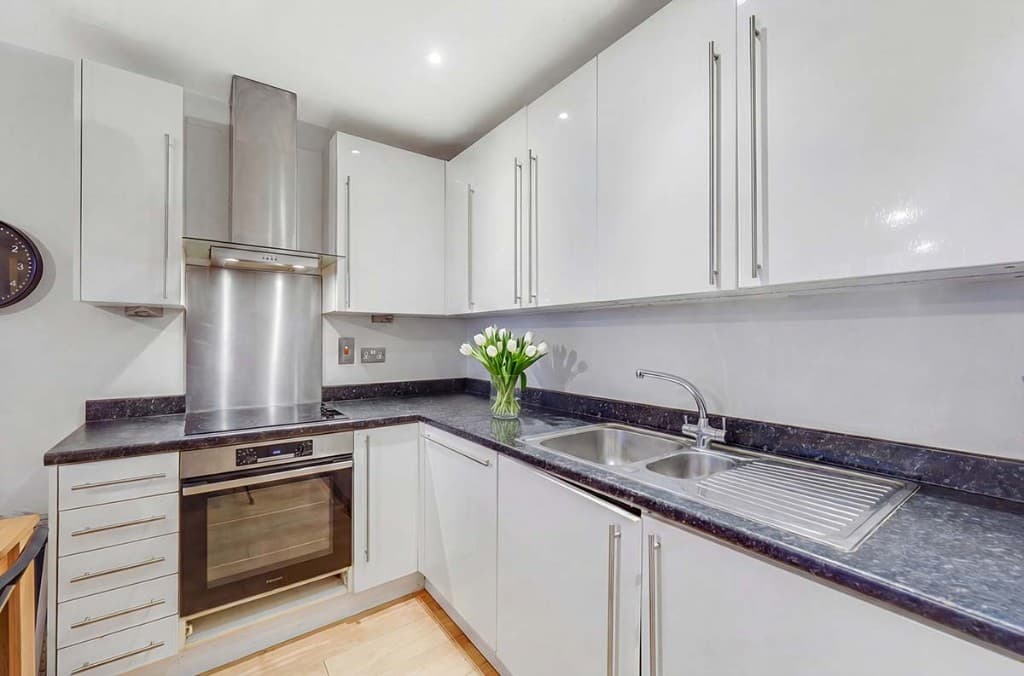
Photo decluttering software after — the same kitchen with worktops cleared by PhotoClearEdited
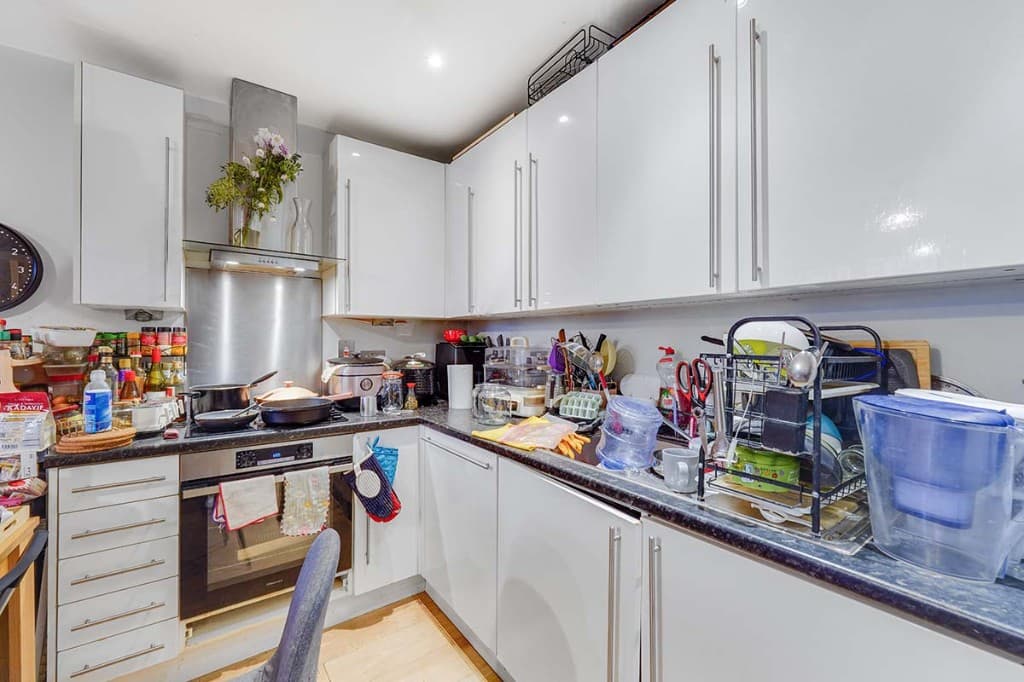
Photo decluttering software before — kitchen worktops cluttered with appliances and utensilsOriginal
Kitchen — worktops cleared
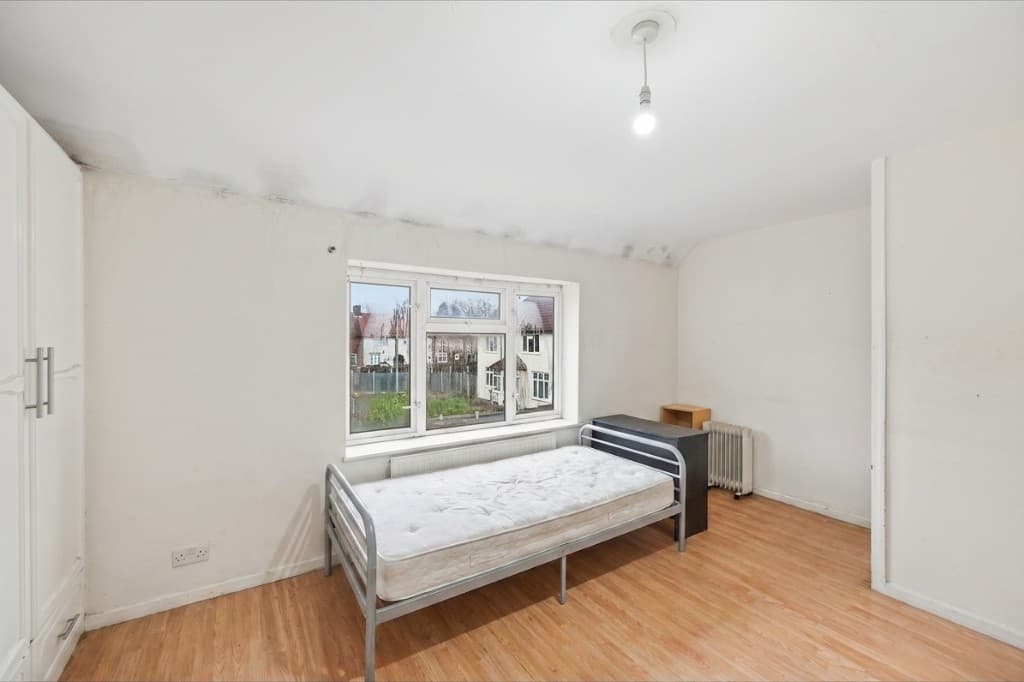
The same bedroom cleared of clutter and tidied by PhotoClearEdited
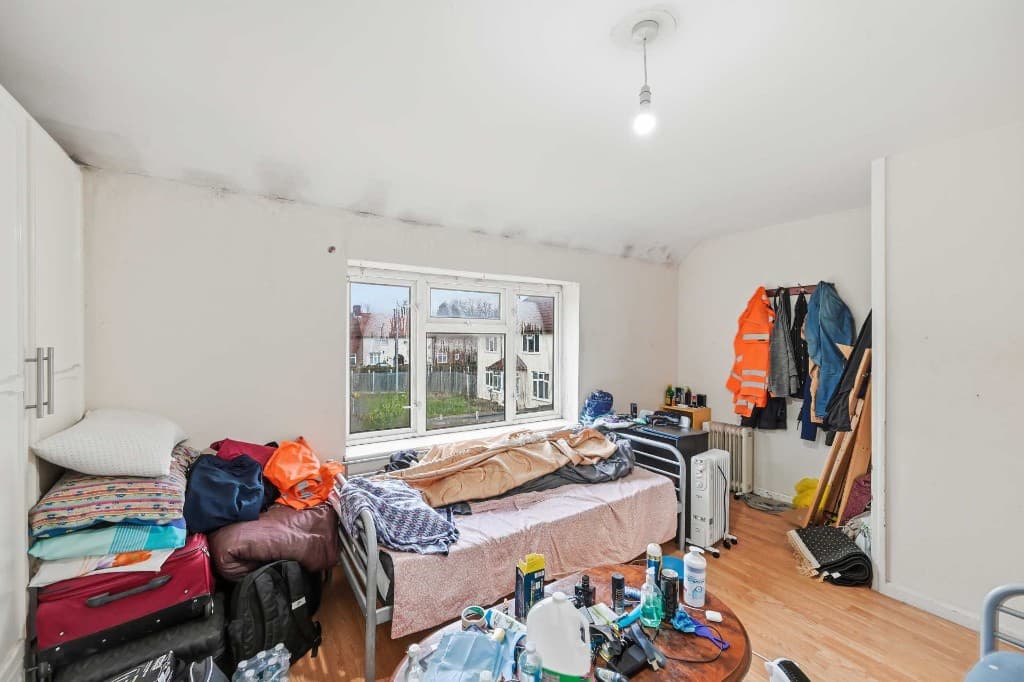
Bedroom piled with clutter, bags and belongings before cleanupOriginal
Bedroom — clutter removed

When to use virtual decluttering

Virtual decluttering is most valuable in these common scenarios:

Virtual decluttering then virtual staging

The most powerful workflow combines decluttering and staging. Use PhotoClear to remove clutter and furniture and create a clean, empty room, then add fresh, true-to-scale furniture with AI virtual staging in the ReHub ecosystem. Cluttered and tired before, beautifully presented after — all from one photo.

For complex or premium listings, you can declutter every room first, then stage the key selling spaces, for a consistent, polished gallery from top to bottom.

Compare

AI cleanup vs manual editing

Why most agents and photographers use AI for everyday cleanup.

FactorManual / PhotoshopPhotoClear AI
Who does the workA retoucher or in-house editorYou run it in the browser
Cost per photoTypically billed per imageFrom 1 credit for a light declutter
Skill neededPhotoshop expertiseUpload, preset or brush, then review
TurnaroundOften hours or a dayYou start as soon as you upload
ReviewDepends on the editorYou check the image before publishing
Best forComplex, one-off hero editsEveryday clutter, cars and bins

FAQ

Virtual Decluttering FAQs

Answers to the questions people ask most about this PhotoClear tool.

Upload a photo to PhotoClear, brush over the clutter, furniture or distractions you want gone, and the AI removes them and rebuilds the clean surface behind in seconds. Then download the tidy, portal-ready image.

Summary

Virtual decluttering uses AI to remove clutter, furniture and distractions from property photos and rebuild clean surfaces behind them. PhotoClear does a light declutter in seconds from 1 credit — as low as 50p per image — presenting lived-in homes as tidy and spacious, and preparing photos for virtual staging.

Declutter your photos with AI

Upload a photo and clear clutter, furniture and distractions in seconds. Try PhotoClear free.

Try PhotoClear Free

10 free credits on sign-up · No card required