PhotoClear

AI object remover

AI object remover for property photos

Remove any unwanted object from a property photo in seconds. Brush over it or let PhotoClear detect it, and the AI rebuilds a clean, believable background behind whatever you delete.

10 free credits on sign-up · No card required

Property photo with an unwanted object being removed by AI

Quick answer

What is an AI object remover?

An AI object remover deletes unwanted objects from a photo and automatically rebuilds the background behind them. PhotoClear is an AI object remover built for property marketing: brush over clutter, cars, bins, people or any distraction and it is gone in seconds, with no smudges or gaps — ready for Rightmove, Zoopla and brochures.

Key takeaways

  • An AI object remover deletes objects and reconstructs the background behind them.
  • PhotoClear removes clutter, furniture, cars, bins, people, cables and reflections.
  • Results take seconds — no Photoshop skill or manual retouching required.
  • Cleaned photos are high-resolution and ready for property portals.
  • Remove movable distractions, not permanent structural features or defects.

What objects can it remove?

Almost any movable object: clutter, furniture, cars, wheelie bins, people, pets, cables, signage, stains, window reflections and general distractions. PhotoClear rebuilds the floor, wall or sky behind the object so the result looks natural.
Is it better than Photoshop?

For property photos, yes — it is far faster and needs no editing skill. Where Photoshop content-aware fill can take minutes per object and still need cleanup, PhotoClear removes objects in seconds and reconstructs complex backgrounds automatically.

Will the background look fake?

No. PhotoClear is trained on real interiors and exteriors, so it rebuilds realistic flooring, walls, skirting and sky behind removed objects. Starting from a sharp, well-lit photo gives the most convincing result.

What is an AI object remover?

An AI object remover is a tool that deletes unwanted objects from a photograph and intelligently fills in the area behind them. Instead of cloning pixels by hand in Photoshop, you simply mark what you want gone and the AI reconstructs a believable background — flooring, walls, skirting, sky or greenery — so the object never appears to have been there.

PhotoClear is an AI object remover purpose-built for property marketing. Estate agents, photographers, developers and hosts use it to tidy listing photos: removing a stray bin, a parked car on the driveway, a pile of clutter on a worktop or a person caught in shot. The result is a clean, professional image that keeps the focus on the property.

Because it is built for real estate, PhotoClear understands the kinds of scenes property photos contain. It handles reflective glass, busy exteriors and detailed interiors that generic object removers struggle with — and it does it in seconds, not minutes.

Why it works

Why use an AI object remover for property

A clean photo sells. Removing distractions keeps buyers focused on the space, not the stuff.

Remove anything

Clutter, cars, bins, people, cables, reflections — if it is movable, it can go.

Seconds, not minutes

No manual cloning or content-aware fill. Mark it and it is gone instantly.

Realistic backgrounds

The AI rebuilds floors, walls and sky so removals look completely natural.

Portal-ready output

High-resolution images sized for Rightmove, Zoopla, brochures and social.

How it works

How to clean up your photo

From cluttered photo to a reviewed, downloadable image in four steps.

  1. 1

    Upload your property photo

    Add a JPEG, PNG or WebP listing photo — interior or exterior — from your computer or phone.

  2. 2

    Choose a cleanup or brush the object

    Use a one-click preset for clutter, cars or bins, or brush over a specific item you want removed.

  3. 3

    Review the edited photo

    Check the result before you publish. Confirm it still represents the property accurately.

  4. 4

    Download the edited image

    Save a high-resolution image with no watermark, then use it in your listing workflow.

See the difference

Before & after

Drag each slider to see objects disappear and the background rebuilt cleanly behind them.

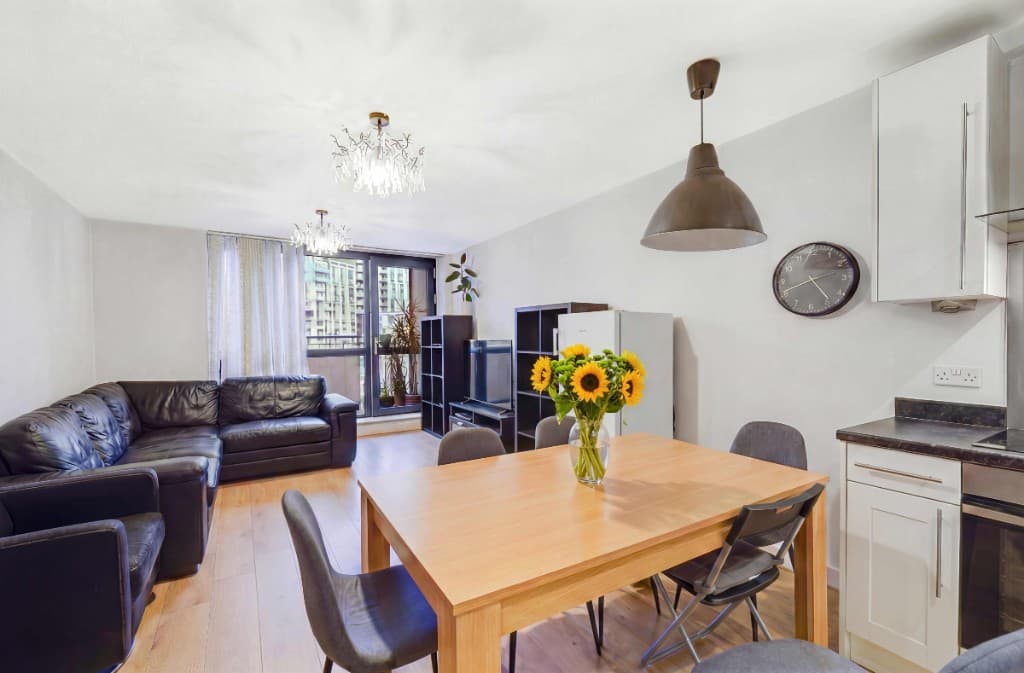
Photo decluttering software after — the same living room cleared of clutter by PhotoClearEdited
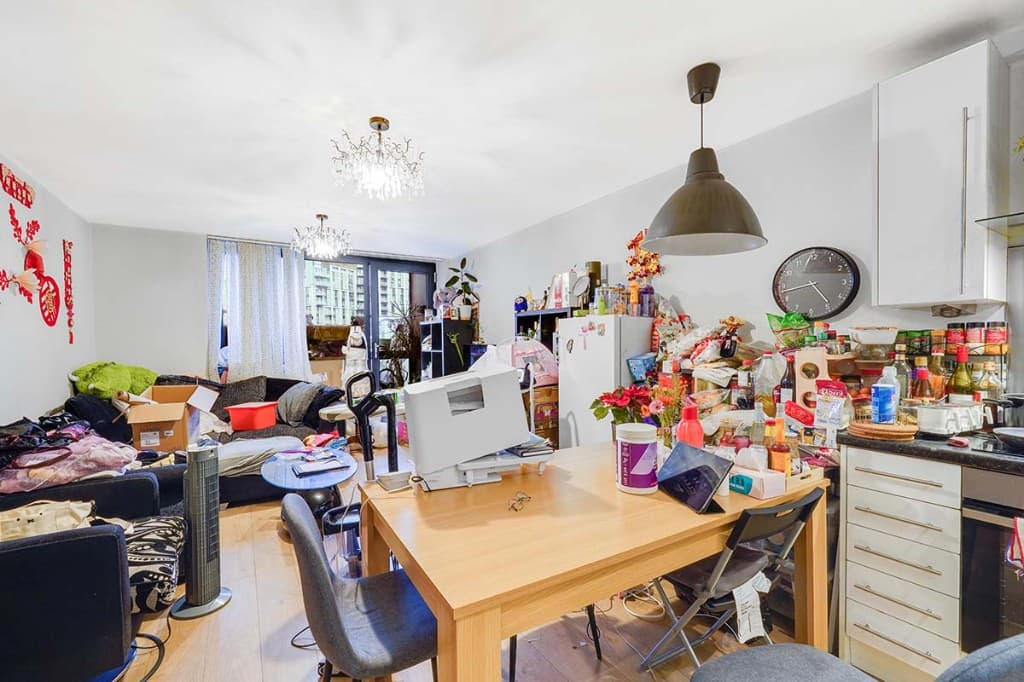
Photo decluttering software before — cluttered open-plan living and dining roomOriginal
Open-plan living — clutter removed
Photo decluttering software after — the same attic living room cleared of clutter by PhotoClearEdited
Photo decluttering software before — lived-in living and dining room with clutter on the table, TV stand and floorOriginal
Living diner — clutter removed
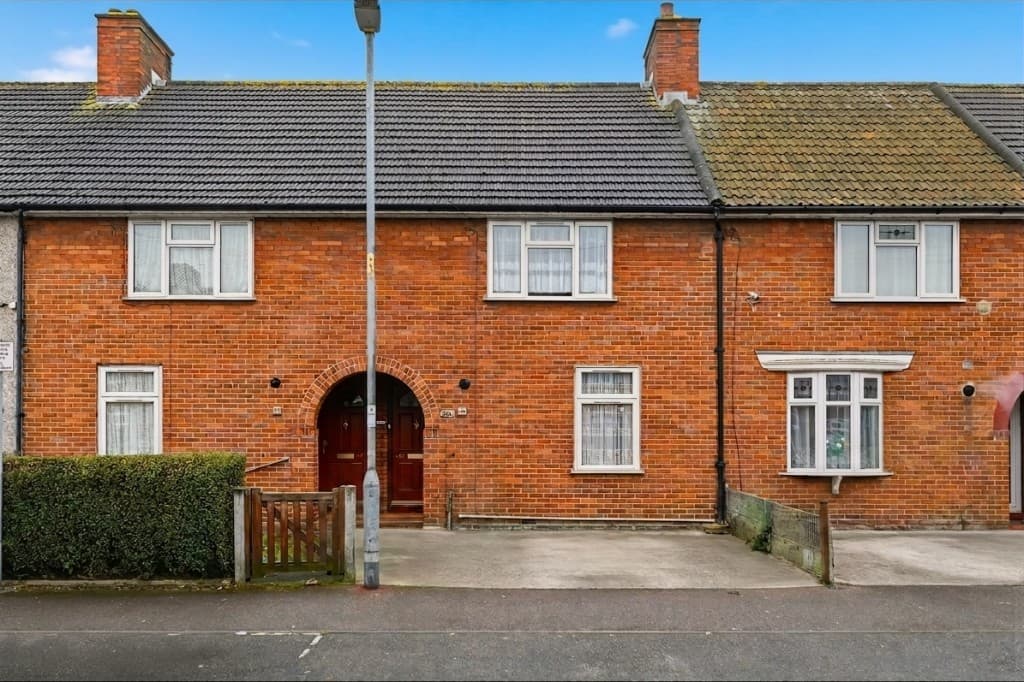
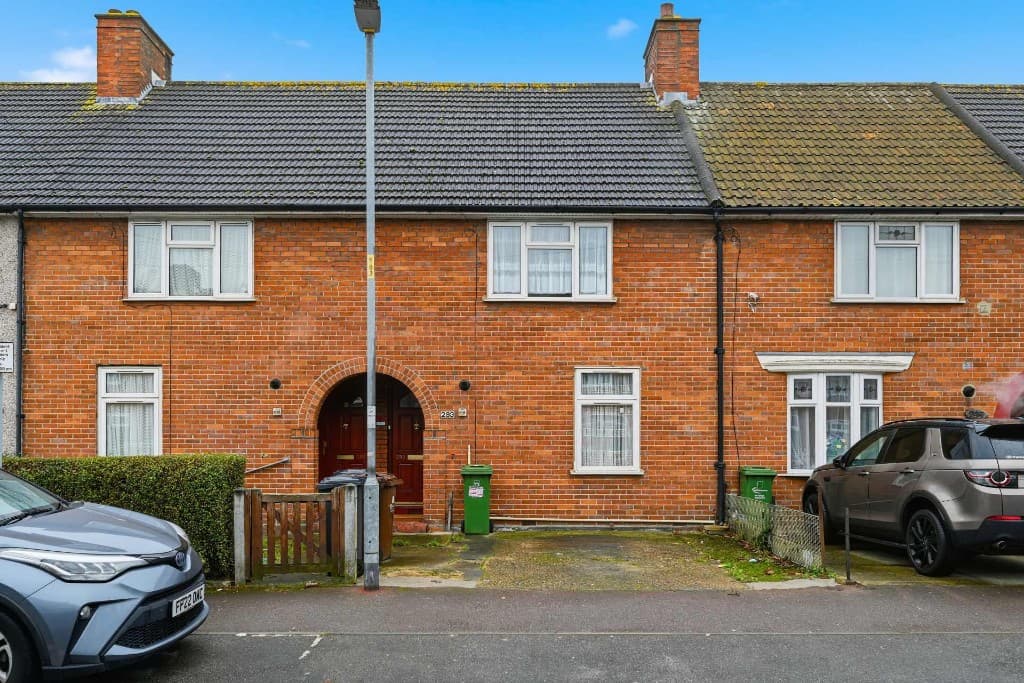
The same exterior with cars and wheelie bins removed by PhotoClearEdited
Terraced house exterior with cars parked outside and wheelie bins by the doorsOriginal
Exterior — cars & bins removed
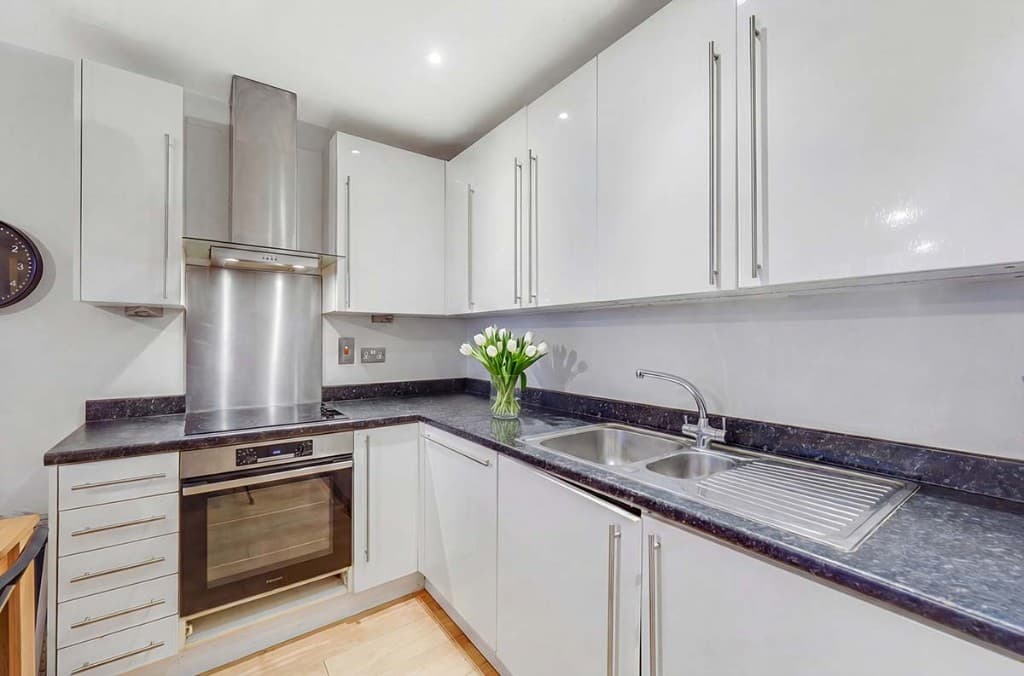
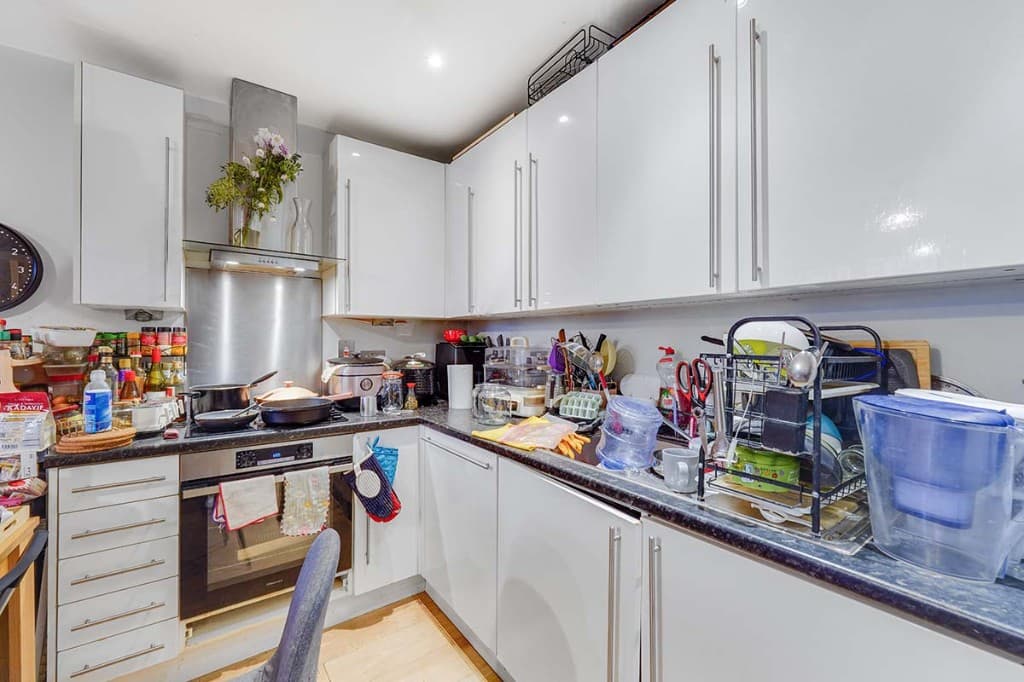
Photo decluttering software after — the same kitchen with worktops cleared by PhotoClearEdited
Photo decluttering software before — kitchen worktops cluttered with appliances and utensilsOriginal
Kitchen — worktops cleared

AI object removal vs manual editing

Traditional object removal in Photoshop relies on tools like the clone stamp, healing brush and content-aware fill. They work, but they are slow, need skill, and often leave tell-tale smudges where the software guesses wrongly — especially across patterned floors, busy exteriors or reflective surfaces.

An AI object remover learns from millions of real scenes, so it reconstructs the background based on what should be there rather than copying nearby pixels. For property photos this means cleaner edges, believable flooring and skirting, and exteriors that still look like real streets and gardens.

What you can remove from property photos

PhotoClear handles the full range of distractions that let property photos down:

Compare

AI cleanup vs manual editing

Why most agents and photographers use AI for everyday cleanup.

FactorManual / PhotoshopPhotoClear AI
Who does the workA retoucher or in-house editorYou run it in the browser
Cost per photoTypically billed per imageFrom 1 credit for a light declutter
Skill neededPhotoshop expertiseUpload, preset or brush, then review
TurnaroundOften hours or a dayYou start as soon as you upload
ReviewDepends on the editorYou check the image before publishing
Best forComplex, one-off hero editsEveryday clutter, cars and bins

FAQ

AI Object Remover FAQs

Answers to the questions people ask most about this PhotoClear tool.

Upload the photo to PhotoClear, brush over the object you want to remove (or let it auto-detect distractions), and the AI deletes it and rebuilds the background in seconds. Then download the high-resolution, portal-ready result.

Summary

PhotoClear is an AI object remover made for property marketing. Mark any unwanted object — clutter, cars, bins, people, cables or reflections — and it is removed in seconds, with the background rebuilt realistically. The result is a clean, high-resolution, portal-ready photo, with no Photoshop skill required.

Explore further

Related tools & guides

Remove the distraction in seconds

Upload a photo and delete any unwanted object with AI. Try PhotoClear free — no card required.

Try PhotoClear Free

10 free credits on sign-up · No card required