Can you empty an entire room?
Yes. PhotoClear can remove all the furniture in a room — sofas, beds, tables, wardrobes — and rebuild a clean, empty floor and walls. This is ideal for presenting a blank canvas or preparing a photo for virtual staging.

Remove furniture
Empty a room completely or delete dated, bulky furniture in seconds. PhotoClear removes the pieces and rebuilds the floor and walls behind them, ready for a clean listing or virtual staging.
10 free credits on sign-up · No card required

Quick answer
To remove furniture from a photo, upload it to PhotoClear, brush over the furniture you want gone, and the AI deletes it and rebuilds the floor, walls and skirting behind it in seconds. You can empty a whole room or remove single dated pieces, then download a clean, portal-ready image or stage it with AI.
Key takeaways
Yes. PhotoClear can remove all the furniture in a room — sofas, beds, tables, wardrobes — and rebuild a clean, empty floor and walls. This is ideal for presenting a blank canvas or preparing a photo for virtual staging.
Yes. You can target a single dated or bulky item — an old wardrobe, a worn sofa — and remove just that, leaving the rest of the room intact.
Virtual staging works best on an empty, clean room. Removing existing furniture first gives the AI a blank canvas, so new digital furniture sits naturally and the result looks believable.
Removing furniture from a photo means digitally deleting the pieces in a room and rebuilding the empty floor, walls and skirting behind them. With PhotoClear you upload the photo, brush over the furniture, and the AI clears it in seconds — whether you want to empty the whole room or remove a single dated item.
Estate agents and photographers use furniture removal in two main ways. The first is to present a clean, empty room that lets buyers picture their own belongings. The second is to prepare a photo for virtual staging: a cluttered or dated room is emptied first, then restyled with fresh digital furniture for a complete transformation.
Old, mismatched or bulky furniture can make a property feel tired and smaller than it is. Removing it digitally is far quicker and cheaper than moving real furniture, and it lets you market a property without waiting for it to be cleared.
Why it works
Clear an entire room of furniture without moving a thing.
Delete dated or bulky items that make a property feel worn.
A clean, empty room is the perfect canvas for virtual staging.
Rebuilt floors and walls reveal the room’s real size and layout.
How it works
From cluttered photo to a reviewed, downloadable image in four steps.
Add a JPEG, PNG or WebP listing photo — interior or exterior — from your computer or phone.
Use a one-click preset for clutter, cars or bins, or brush over a specific item you want removed.
Check the result before you publish. Confirm it still represents the property accurately.
Save a high-resolution image with no watermark, then use it in your listing workflow.
See the difference
Drag each slider to see rooms cleared and rebuilt clean.
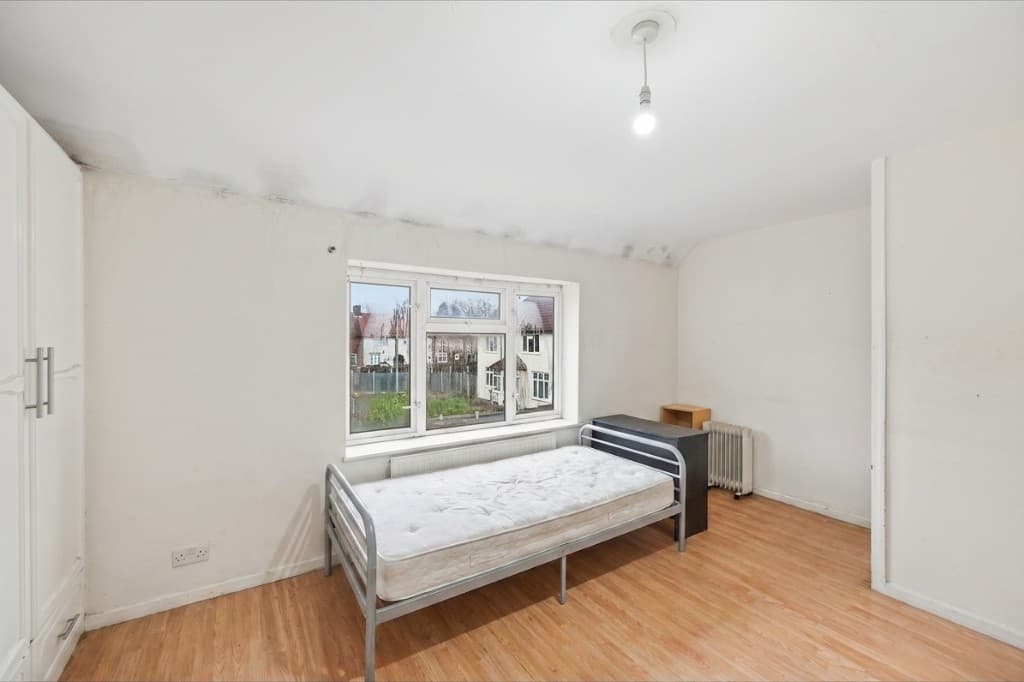 Edited
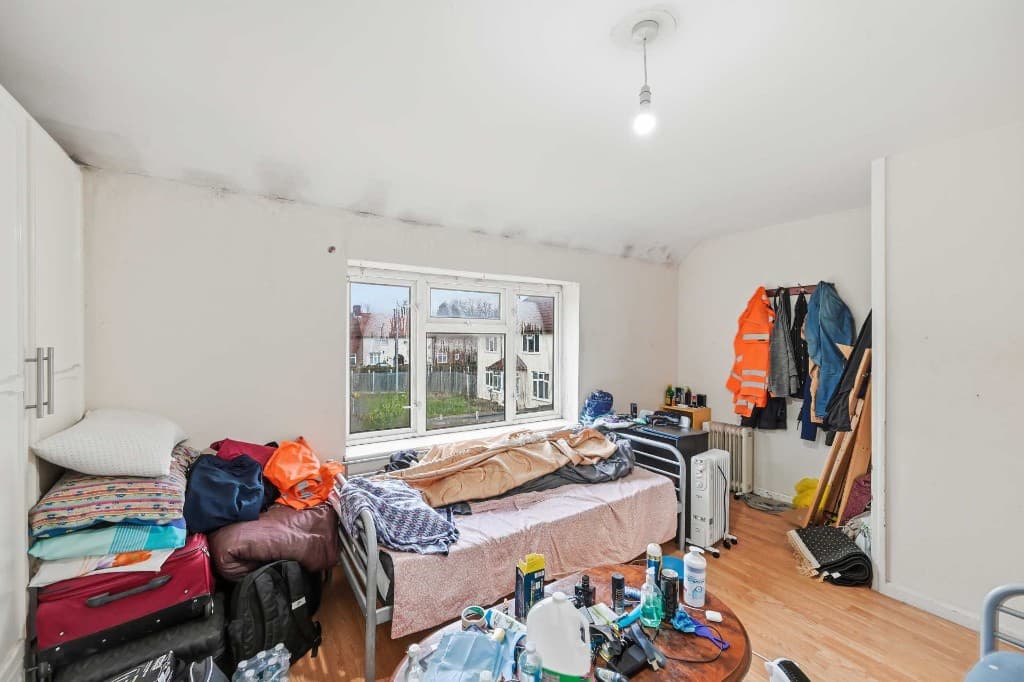 Original
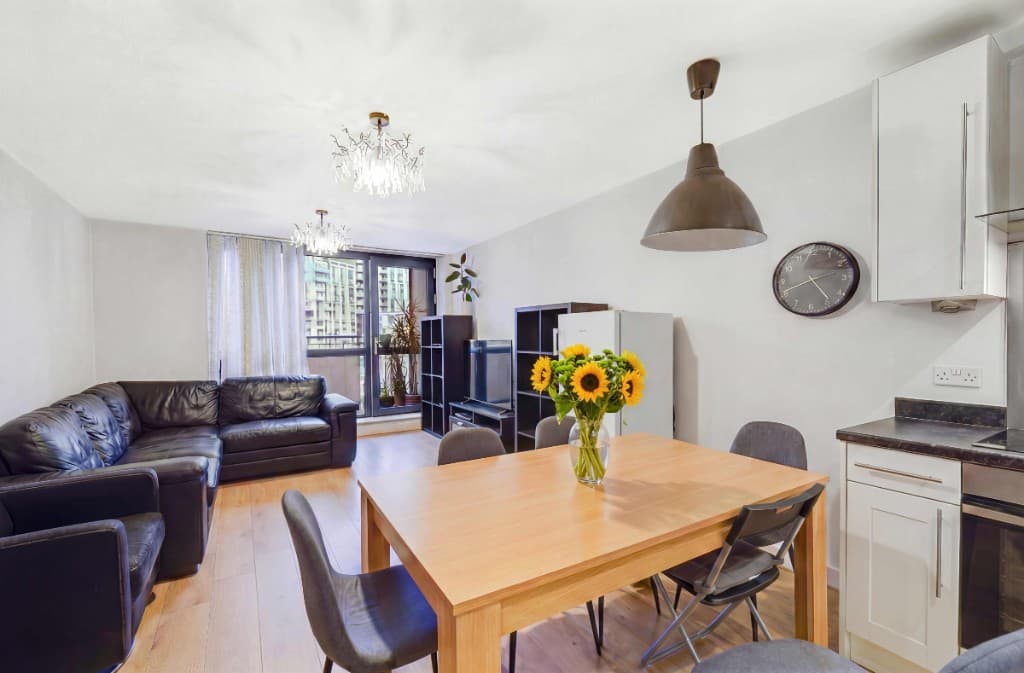 Edited
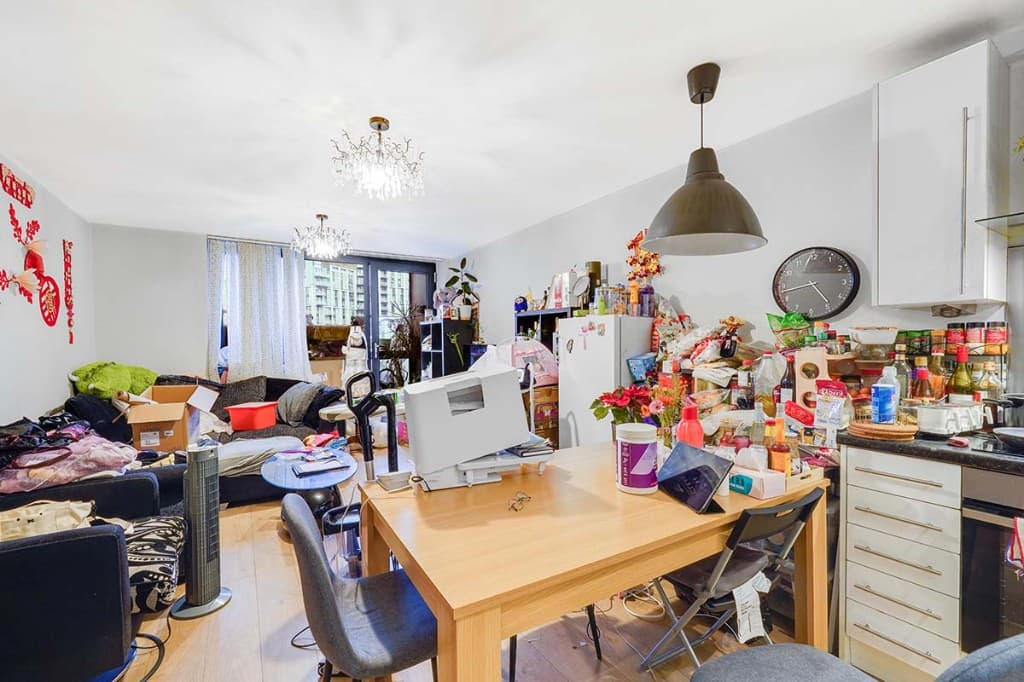 Original
 Edited
 Original
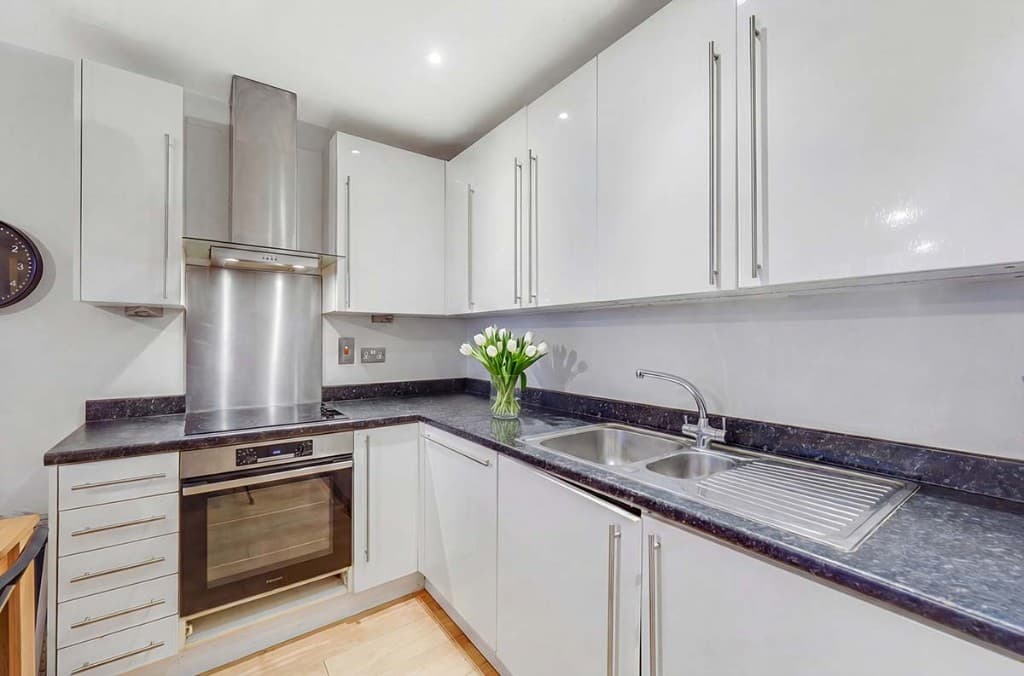 Edited
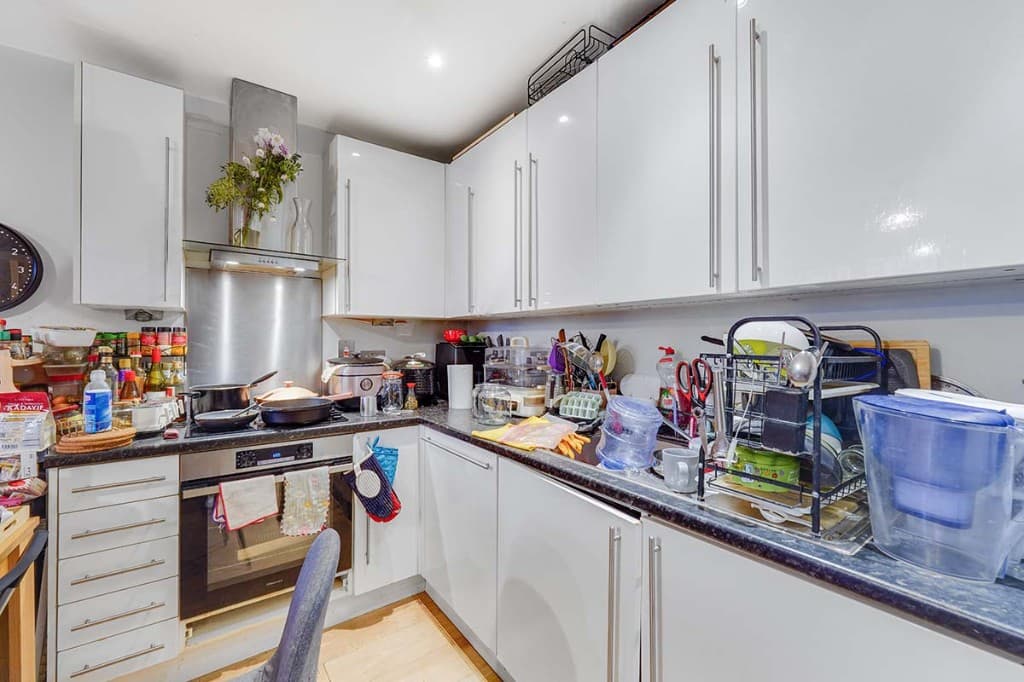 Original
The most powerful workflow combines two tools. Remove the existing furniture with PhotoClear to create a clean, empty room, then add fresh, true-to-scale furniture with AI virtual staging. The result is a fully transformed image — tired or cluttered before, beautifully presented after.
Because PhotoClear is part of the ReHub Studio ecosystem alongside Virtual Staging Studio, the two steps connect into a single, fast workflow.
PhotoClear handles furniture and large fittings across every room:
Compare
Why most agents and photographers use AI for everyday cleanup.
| Factor | Manual / Photoshop | PhotoClear AI |
|---|---|---|
| Who does the work | A retoucher or in-house editor | You run it in the browser |
| Cost per photo | Typically billed per image | From 1 credit for a light declutter |
| Skill needed | Photoshop expertise | Upload, preset or brush, then review |
| Turnaround | Often hours or a day | You start as soon as you upload |
| Review | Depends on the editor | You check the image before publishing |
| Best for | Complex, one-off hero edits | Everyday clutter, cars and bins |
FAQ
Answers to the questions people ask most about this PhotoClear tool.
Summary
PhotoClear removes furniture from property photos in seconds, rebuilding the floor and walls behind it. Empty a whole room or delete single dated pieces, then download a clean image or stage it with AI virtual staging for a complete transformation.
Explore further
Upload a photo and remove the furniture with AI. Try PhotoClear free — no card required.
10 free credits on sign-up · No card required