PhotoClear

AI clutter remover

AI clutter remover for property photos

Clear mess, personal items and visual noise from property photos in seconds. PhotoClear removes clutter and rebuilds clean surfaces so rooms look tidy, spacious and ready to list.

10 free credits on sign-up · No card required

Cluttered room being tidied by an AI clutter remover

Quick answer

What is an AI clutter remover?

An AI clutter remover automatically deletes mess, personal items and visual noise from a photo and rebuilds the clean surface behind it. PhotoClear is an AI clutter remover for property marketing: brush over clutter on worktops, floors and shelves and it disappears in seconds, leaving a tidy, spacious, portal-ready room.

Key takeaways

  • An AI clutter remover clears mess and rebuilds clean surfaces behind it.
  • It makes occupied and lived-in homes look tidy without a physical clear-out.
  • Tidy, spacious photos attract more clicks and viewings online.
  • Results take seconds and need no editing skill.
  • Ideal preparation before virtual staging an empty room.

Why declutter listing photos?

Clutter makes rooms look smaller, messier and harder to picture living in. Decluttering photos digitally lets you present an occupied home as tidy and spacious — improving first impressions on portals without asking the occupier to clear every surface.
Does it work on occupied homes?

Yes. That is its main use. PhotoClear removes the day-to-day clutter in lived-in homes — paperwork, toys, washing-up, toiletries — so a tenanted or owner-occupied property still photographs cleanly.

Is digital decluttering honest?

Yes, when used properly. Removing movable clutter shows the true size and layout of a room. You should not hide permanent defects or structural issues, but clearing personal mess is accepted, standard practice in property marketing.

What is an AI clutter remover?

An AI clutter remover is a tool that digitally clears mess, personal belongings and visual noise from a photograph and rebuilds the clean surface — worktop, floor, shelf or table — behind it. Instead of tidying the physical room or editing each item by hand, you upload the photo, mark the clutter and the AI removes it in seconds.

For property marketing, clutter is one of the biggest reasons rooms photograph poorly. Worktops covered in appliances, floors strewn with toys, shelves packed with ornaments and surfaces buried under paperwork all make a space feel smaller and harder to imagine living in. PhotoClear strips that noise away so buyers and tenants see the room, not the stuff.

It is especially valuable for occupied homes. You cannot always ask a vendor or tenant to clear every surface before a shoot, and a quick tidy rarely matches the clean, magazine-style look buyers expect online. Digital decluttering closes that gap instantly.

Why it works

Why declutter property photos with AI

Rooms look bigger

Clear surfaces and floors so spaces read as larger and more open.

No physical clear-out

Tidy lived-in homes without asking occupiers to move their belongings.

More clicks & viewings

Tidy lead images stop the scroll where cluttered ones get passed over.

Ready for staging

Create a clean canvas, then add furniture with AI virtual staging.

How it works

How to clean up your photo

From cluttered photo to a reviewed, downloadable image in four steps.

  1. 1

    Upload your property photo

    Add a JPEG, PNG or WebP listing photo — interior or exterior — from your computer or phone.

  2. 2

    Choose a cleanup or brush the object

    Use a one-click preset for clutter, cars or bins, or brush over a specific item you want removed.

  3. 3

    Review the edited photo

    Check the result before you publish. Confirm it still represents the property accurately.

  4. 4

    Download the edited image

    Save a high-resolution image with no watermark, then use it in your listing workflow.

See the difference

Before & after

Drag each slider to watch clutter vanish and surfaces rebuilt clean.

Photo decluttering software after — the same living room cleared of clutter by PhotoClearEdited
Photo decluttering software before — cluttered open-plan living and dining roomOriginal
Open-plan living — clutter removed
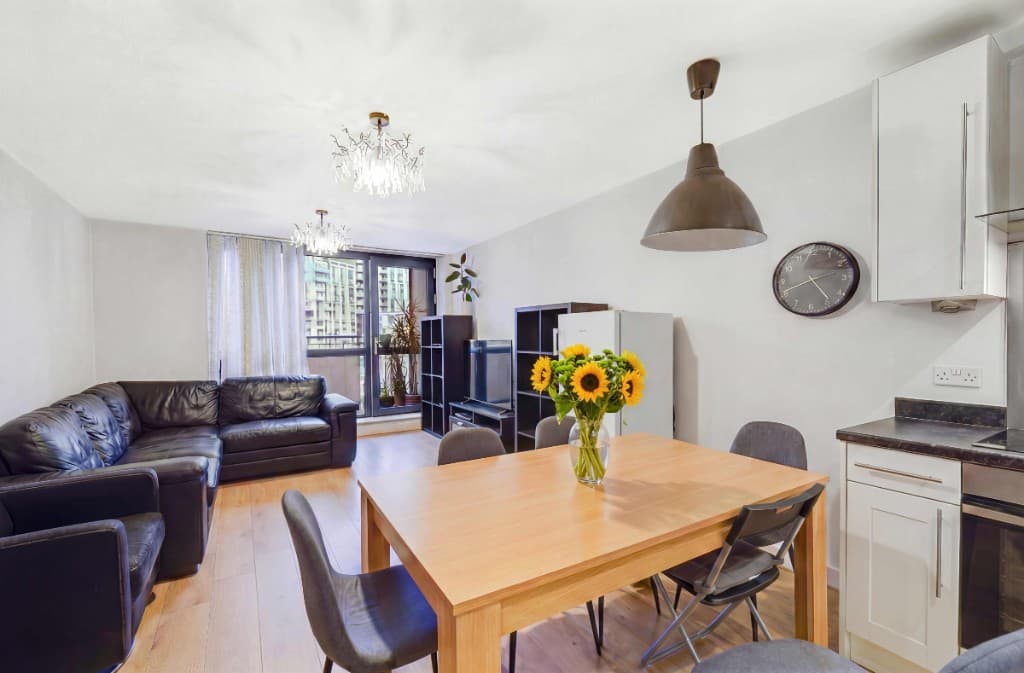
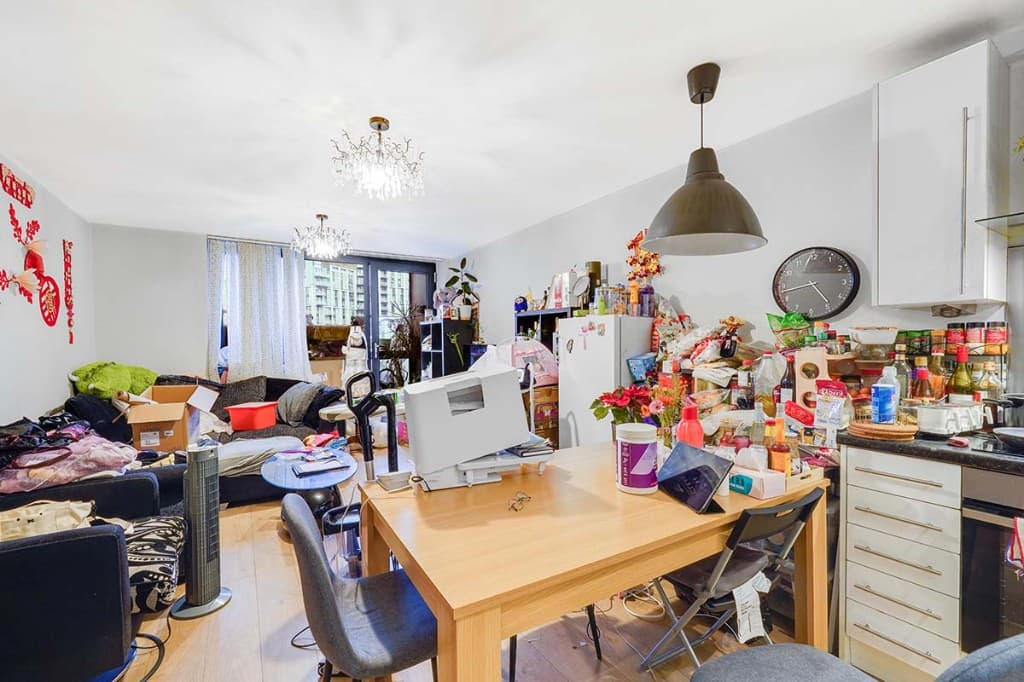
Photo decluttering software after — the same attic living room cleared of clutter by PhotoClearEdited
Photo decluttering software before — lived-in living and dining room with clutter on the table, TV stand and floorOriginal
Living diner — clutter removed
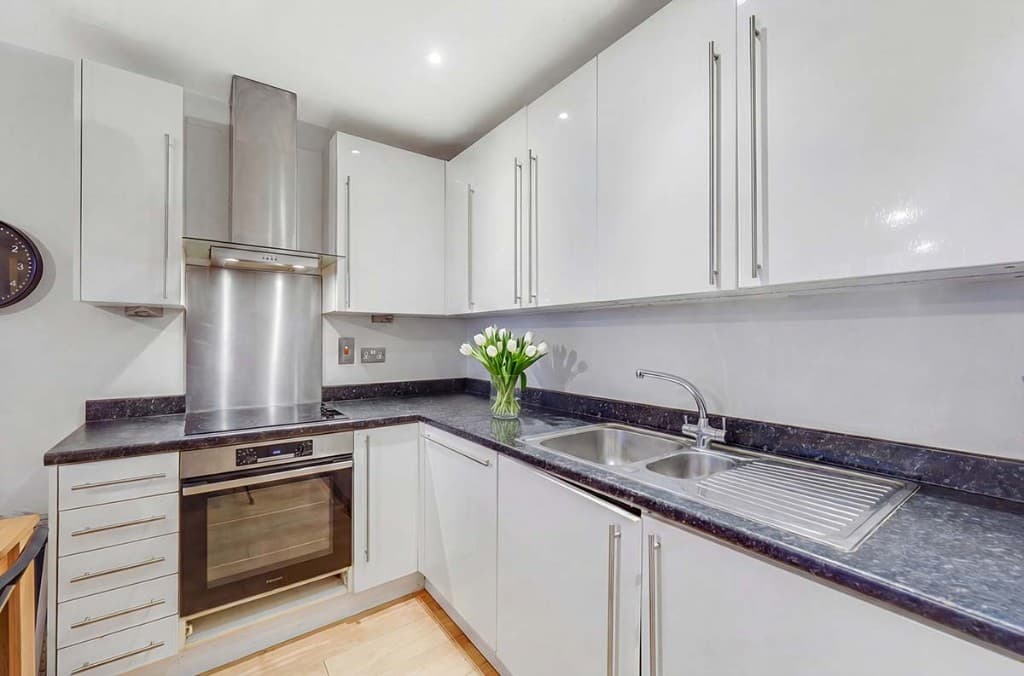
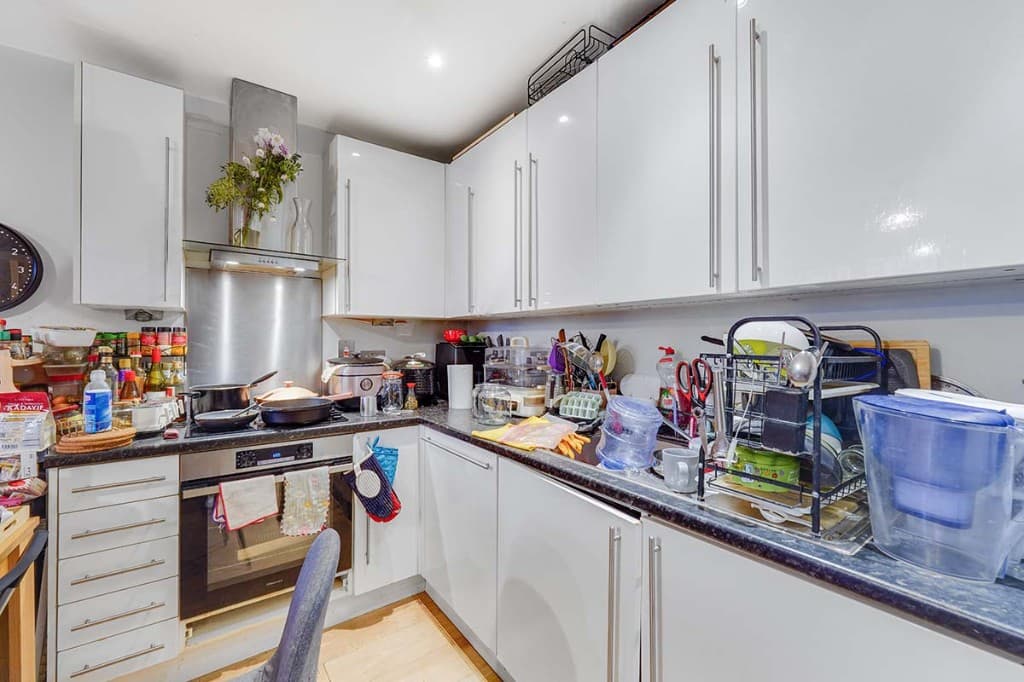
Photo decluttering software after — the same kitchen with worktops cleared by PhotoClearEdited
Photo decluttering software before — kitchen worktops cluttered with appliances and utensilsOriginal
Kitchen — worktops cleared
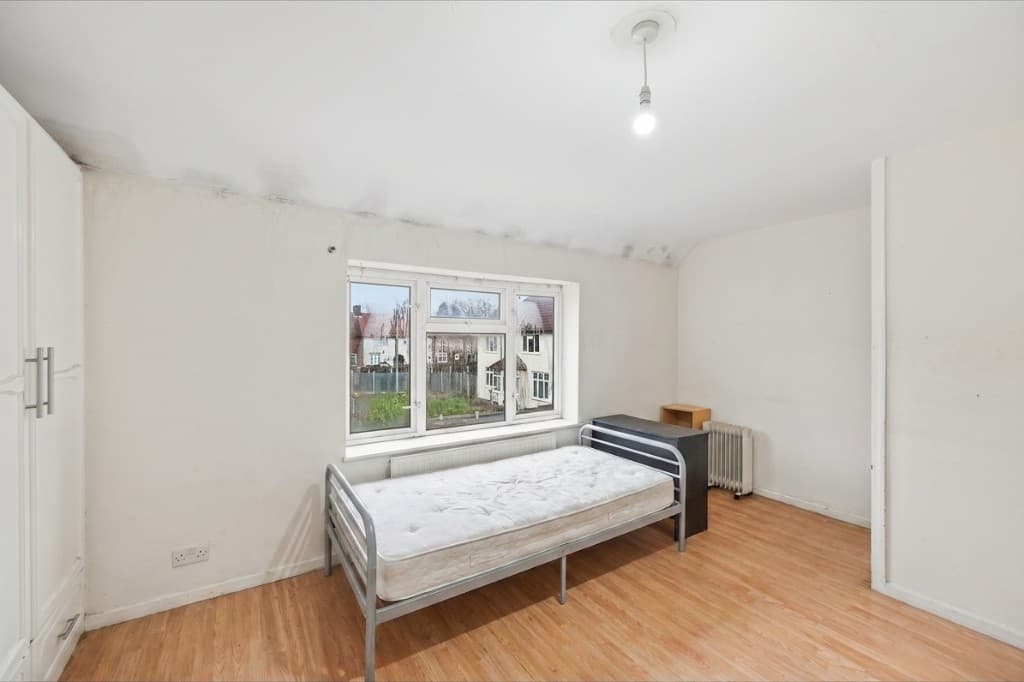
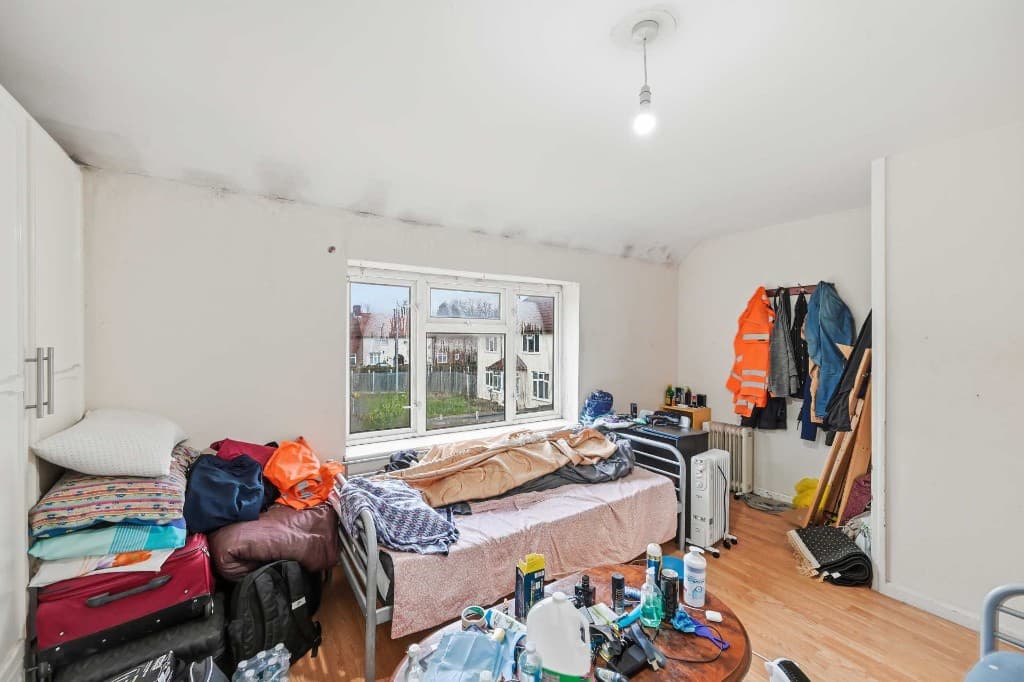
The same bedroom cleared of clutter and tidied by PhotoClearEdited
Bedroom piled with clutter, bags and belongings before cleanupOriginal
Bedroom — clutter removed

Where AI decluttering helps most

Some rooms and scenarios benefit from decluttering more than others. These are the most common cases where PhotoClear makes the biggest difference:

Decluttering then staging

Digital decluttering is often the first step in a complete photo makeover. Clear the clutter first, then — if the room is empty or dated — add fresh furniture with AI virtual staging for a fully transformed image.

PhotoClear sits in the ReHub Studio ecosystem alongside Virtual Staging Studio, so you can declutter a room here and stage it there as one connected workflow.

Compare

AI cleanup vs manual editing

Why most agents and photographers use AI for everyday cleanup.

FactorManual / PhotoshopPhotoClear AI
Who does the workA retoucher or in-house editorYou run it in the browser
Cost per photoTypically billed per imageFrom 1 credit for a light declutter
Skill neededPhotoshop expertiseUpload, preset or brush, then review
TurnaroundOften hours or a dayYou start as soon as you upload
ReviewDepends on the editorYou check the image before publishing
Best forComplex, one-off hero editsEveryday clutter, cars and bins

FAQ

AI Clutter Remover FAQs

Answers to the questions people ask most about this PhotoClear tool.

Upload it to PhotoClear, brush over the clutter you want gone — or let it auto-detect mess — and the AI removes it and rebuilds the clean surface behind it in seconds. Then download the tidy, portal-ready image.

Summary

PhotoClear is an AI clutter remover for property photos. Brush over mess on worktops, floors and shelves and it is cleared in seconds, with the clean surface rebuilt behind it. The result is a tidy, spacious, portal-ready room — perfect for occupied homes and as preparation for virtual staging.

Declutter your next listing in seconds

Upload a photo and clear the clutter with AI. Try PhotoClear free — no card required.

Try PhotoClear Free

10 free credits on sign-up · No card required