Can it remove for-sale and to-let boards?
Yes. Brush over the board and post; PhotoClear reconstructs the garden, paving or wall behind.

Remove signs
Clear for-sale boards, street signs, temporary notices and other signage from property photos in seconds. PhotoClear rebuilds walls, paving or sky behind them for a clean exterior.
10 free credits on sign-up · No card required

Quick answer
Upload a property photo to PhotoClear, brush over the for-sale board, street sign or notice, and the AI removes it and rebuilds the wall, paving or sky behind in seconds. Ideal when a board, road sign or temporary notice distracts from the property.
Key takeaways
Yes. Brush over the board and post; PhotoClear reconstructs the garden, paving or wall behind.
Yes. Temporary or distracting street signs in the frame can be removed when they pull focus from the property.
The AI rebuilds from surrounding materials — brick, render, fencing or sky — so the patch blends in.
Signs are useful in real life and distracting in marketing. A board from a previous listing, a neighbour’s to-let sign, or a busy street sign can dominate an otherwise strong elevation.
PhotoClear removes signage digitally and rebuilds the surface behind — so your listing photos stay focused on the home, not the clutter around it.
Use it carefully: tidy marketing clutter, but do not remove permanent information that would mislead a buyer about access or restrictions.
Why it works
Keep the eye on the property, not boards and notices.
Remove leftover or neighbouring for-sale boards from shot.
Clear temporary signs that distract from kerb appeal.
Seconds per image instead of manual cloning.
How it works
From cluttered photo to a reviewed, downloadable image in four steps.
Add a JPEG, PNG or WebP listing photo — interior or exterior — from your computer or phone.
Use a one-click preset for clutter, cars or bins, or brush over a specific item you want removed.
Check the result before you publish. Confirm it still represents the property accurately.
Save a high-resolution image with no watermark, then use it in your listing workflow.
See the difference
Drag the slider to see exterior clutter and signs cleared.
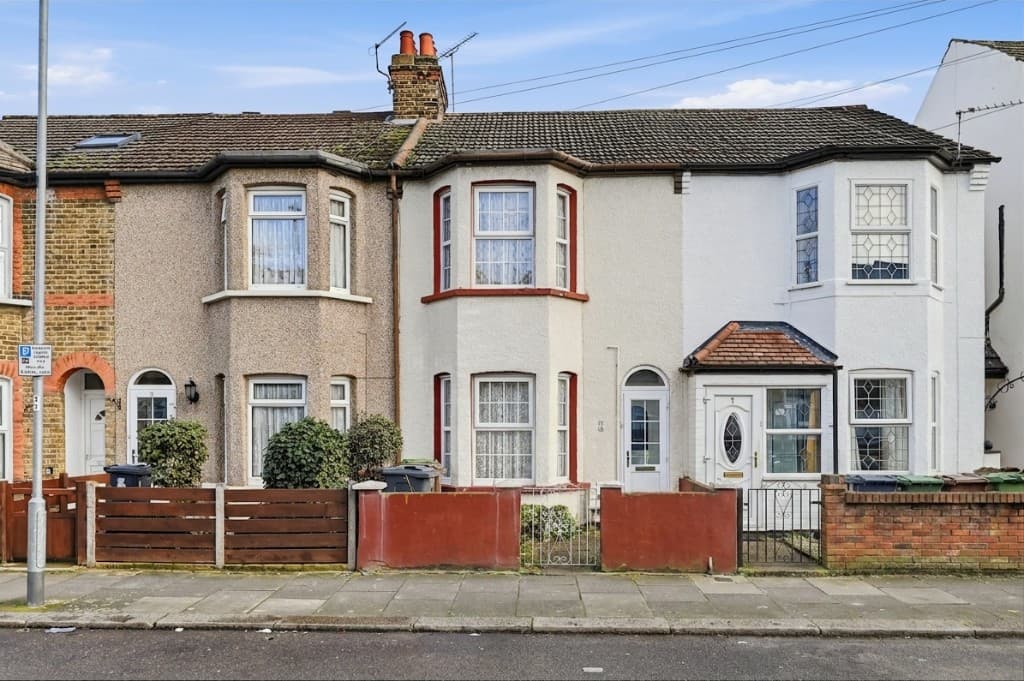 Edited
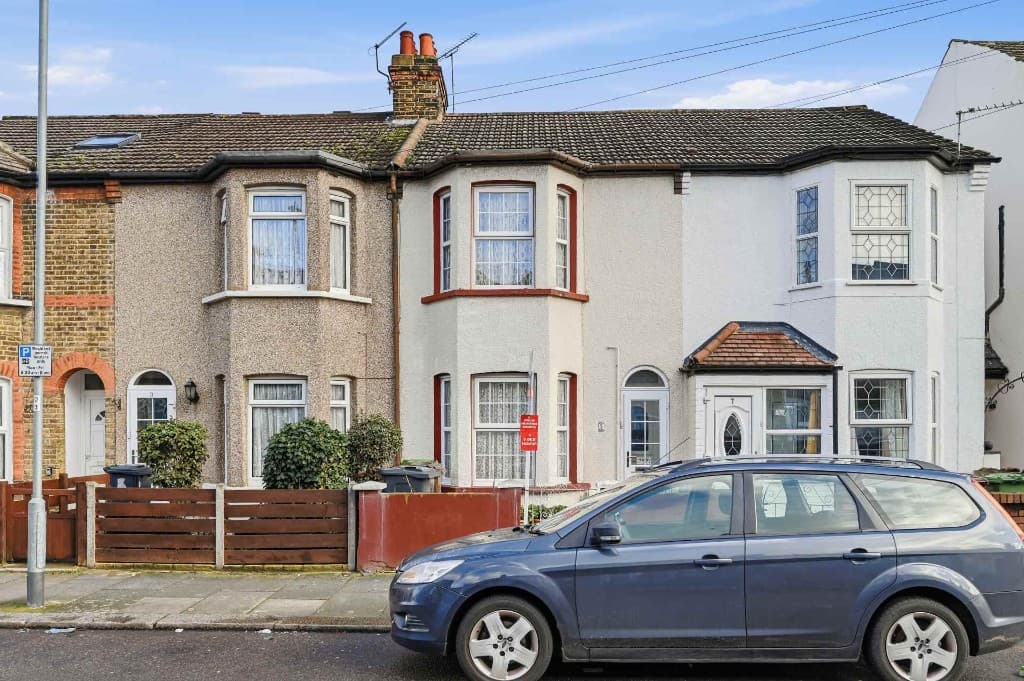 Original
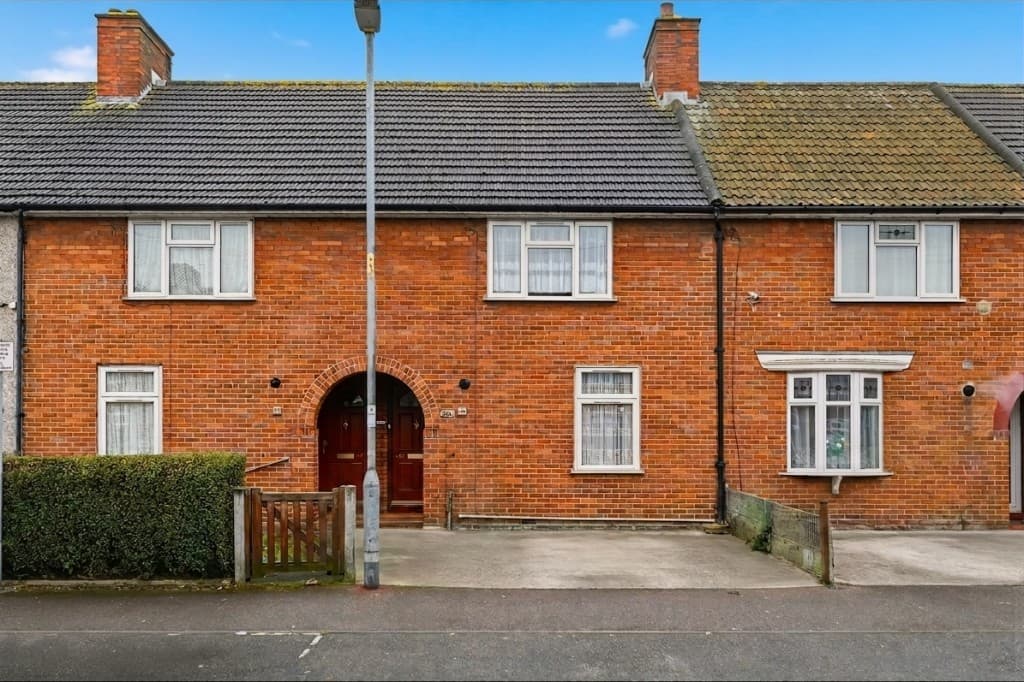 Edited
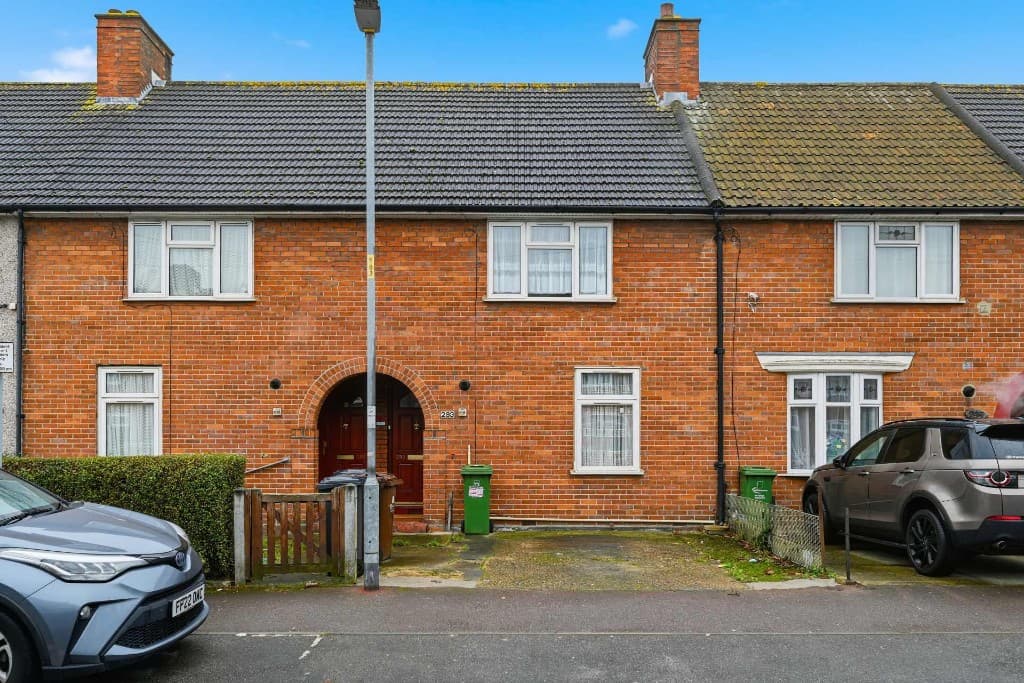 Original
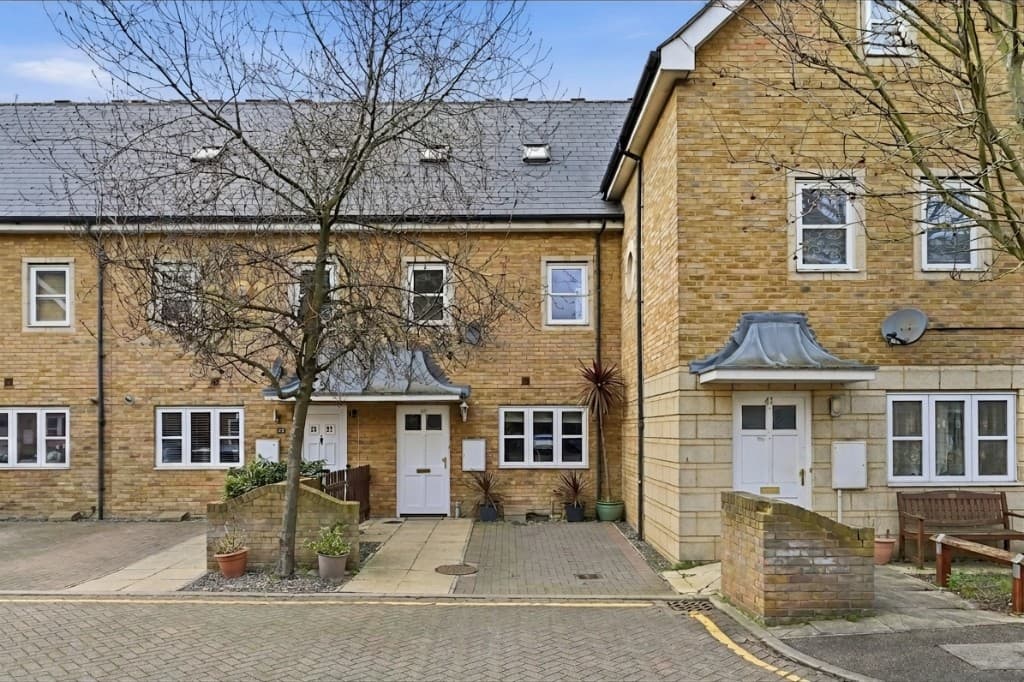 Edited
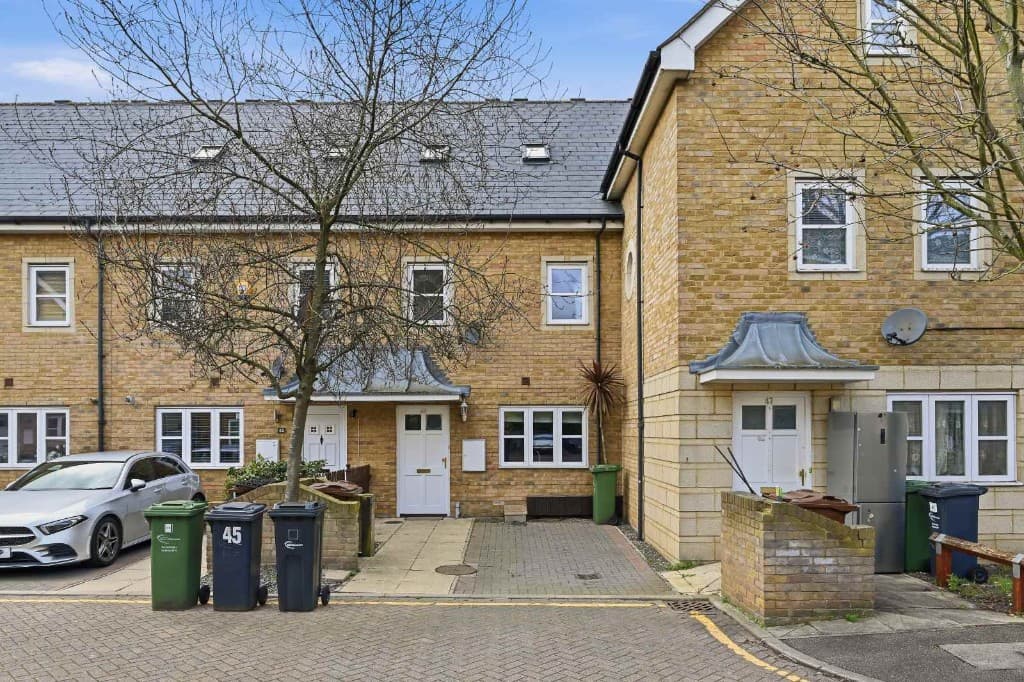 Original
Exterior tidy-ups often need several removals. Mark signs alongside cars and wheelie bins and PhotoClear can clean the whole frontage together.
Common removals include:
Compare
Why most agents and photographers use AI for everyday cleanup.
| Factor | Manual / Photoshop | PhotoClear AI |
|---|---|---|
| Who does the work | A retoucher or in-house editor | You run it in the browser |
| Cost per photo | Typically billed per image | 1 credit per declutter |
| Skill needed | Photoshop expertise | Upload, preset or brush, then review |
| Turnaround | Often hours or a day | You start as soon as you upload |
| Review | Depends on the editor | You check the image before publishing |
| Best for | Complex, one-off hero edits | Everyday clutter, cars and bins |
FAQ
Answers to the questions people ask most about this PhotoClear tool.
Summary
PhotoClear removes signs from photos in seconds — for-sale boards, street signs and temporary notices — and rebuilds clean exteriors for portal-ready marketing.
Explore further
Upload an exterior and clear distracting signage with AI. Start free.
10 free credits on sign-up · No card required