Can I empty an entire room?
Yes. Remove sofas, beds, tables and wardrobes in one pass to leave a clean empty room.

Remove furniture from photos
Empty a room completely or delete dated, bulky furniture in seconds. PhotoClear removes the pieces and rebuilds floors and walls — ready for a clean listing or virtual staging.
10 free credits on sign-up · No card required

Quick answer
Upload a room photo to PhotoClear, brush over the furniture you want gone, and the AI removes it and rebuilds the floor, walls and skirting in seconds. Empty a whole room or delete single pieces, then download a clean image or prepare it for virtual staging.
Key takeaways
Yes. Remove sofas, beds, tables and wardrobes in one pass to leave a clean empty room.
Yes. Target a single worn sofa or bulky wardrobe and leave the rest of the room intact.
Usually yes. Virtual staging looks most believable on an empty, clean room. Clear first, then add fresh furniture digitally.
Removing furniture from photos means deleting sofas, beds, tables and other pieces digitally, then reconstructing empty floors and walls. It is the fastest way to present space — or prepare a room for staging — without a physical clear-out.
PhotoClear handles full-room empties and single-item removals. Brush over what should go and the AI rebuilds skirting, flooring and walls so the vacated area looks natural.
Agents and photographers use this when furniture is dated, mismatched or simply too bulky for the room they want to sell.
Why it works
Empty rooms reveal layout and scale clearly.
Delete furniture that makes a home feel worn.
A blank room is the best canvas for virtual staging.
Skip the cost and delay of clearing a property.
How it works
From cluttered photo to a reviewed, downloadable image in four steps.
Add a JPEG, PNG or WebP listing photo — interior or exterior — from your computer or phone.
Use a one-click preset for clutter, cars or bins, or brush over a specific item you want removed.
Check the result before you publish. Confirm it still represents the property accurately.
Save a high-resolution image with no watermark, then use it in your listing workflow.
See the difference
Drag each slider to see rooms emptied and rebuilt.
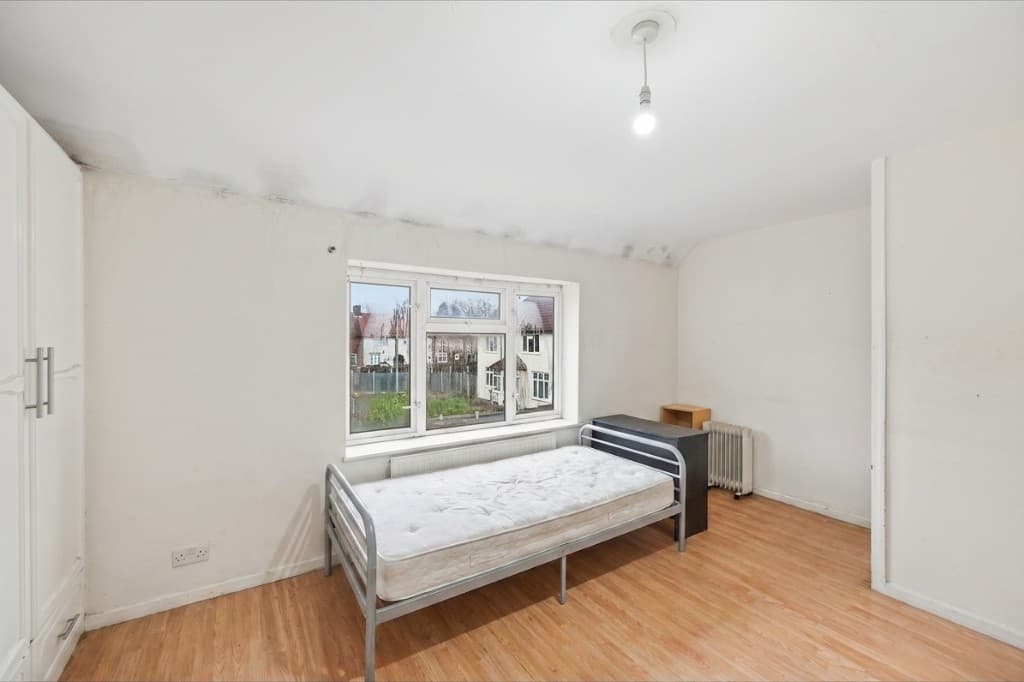 Edited
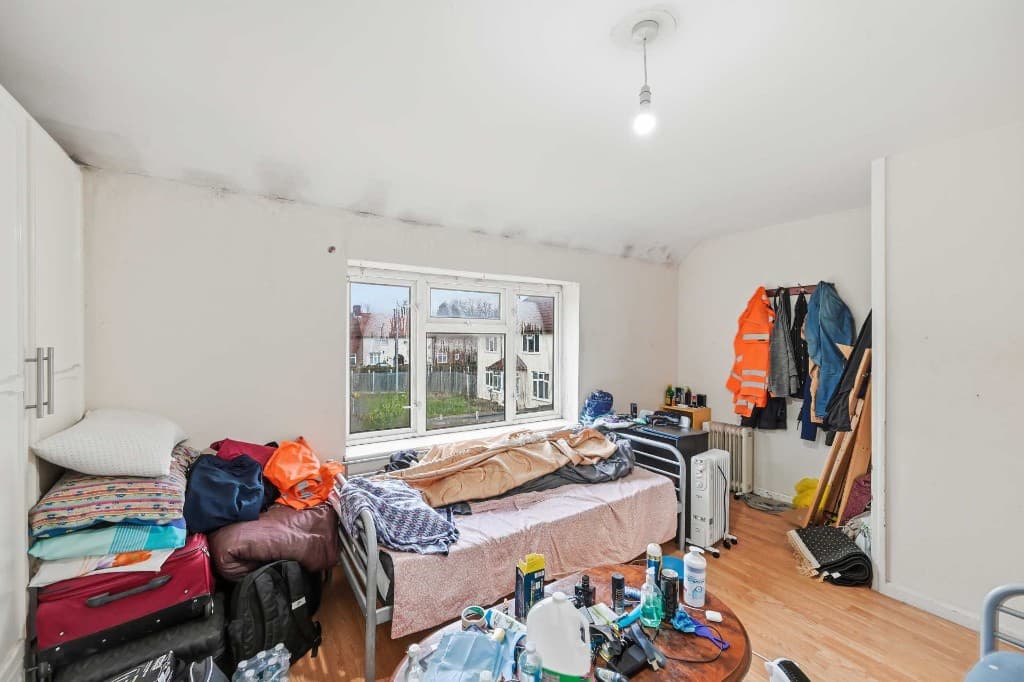 Original
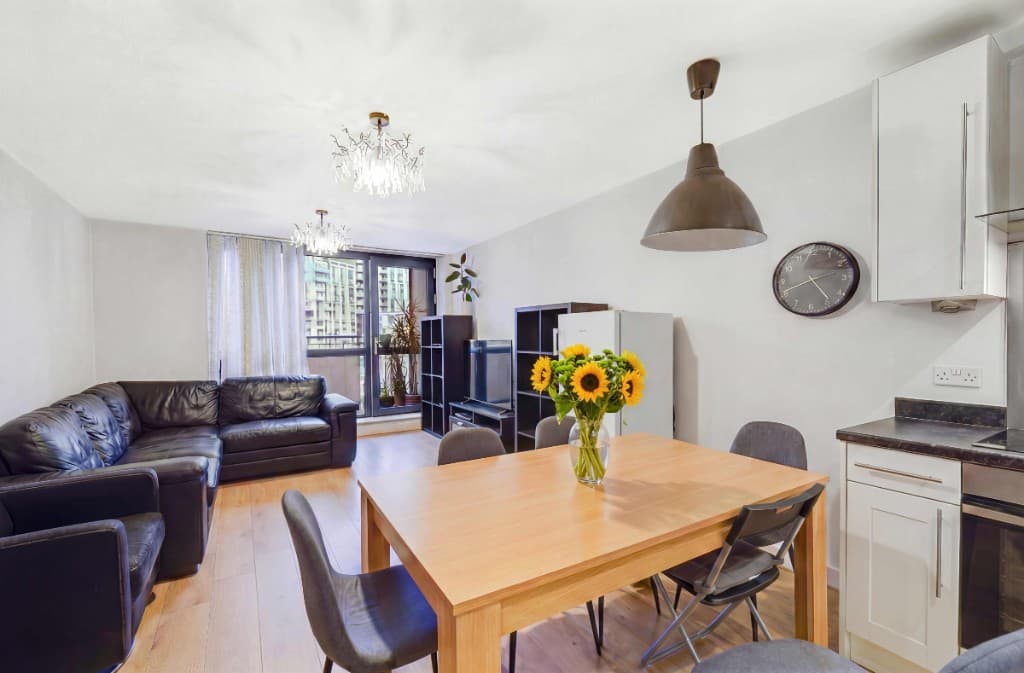 Edited
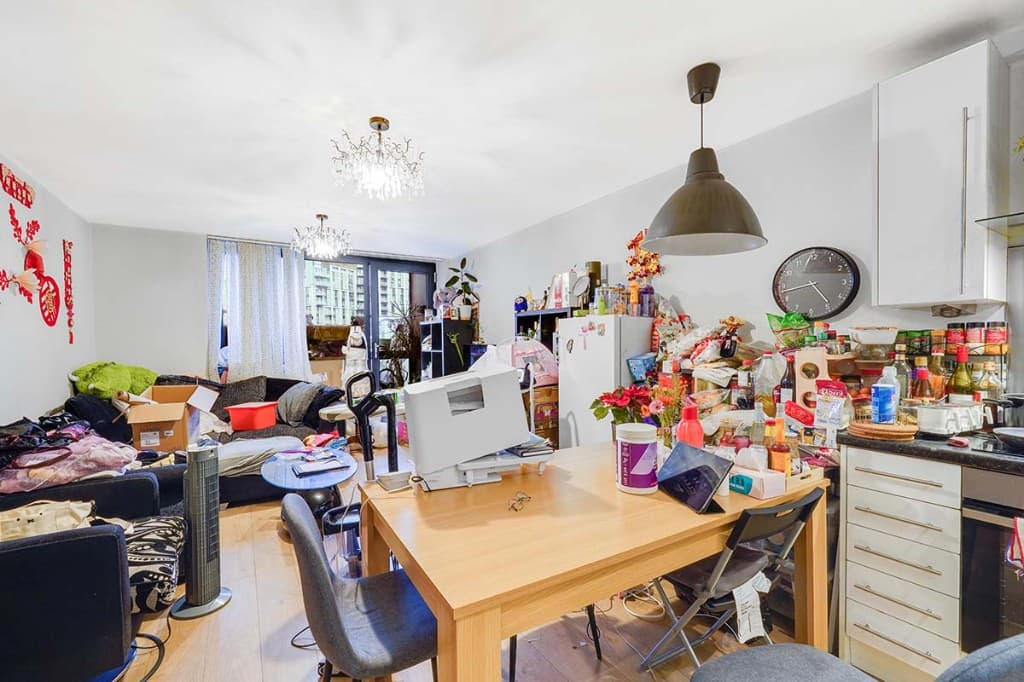 Original
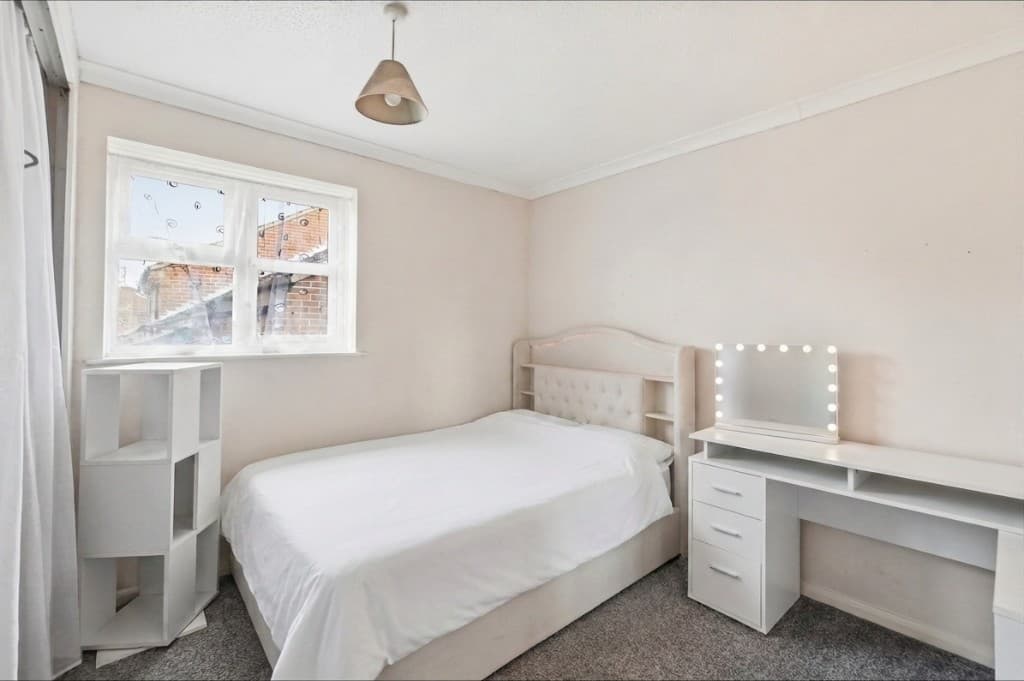 Edited
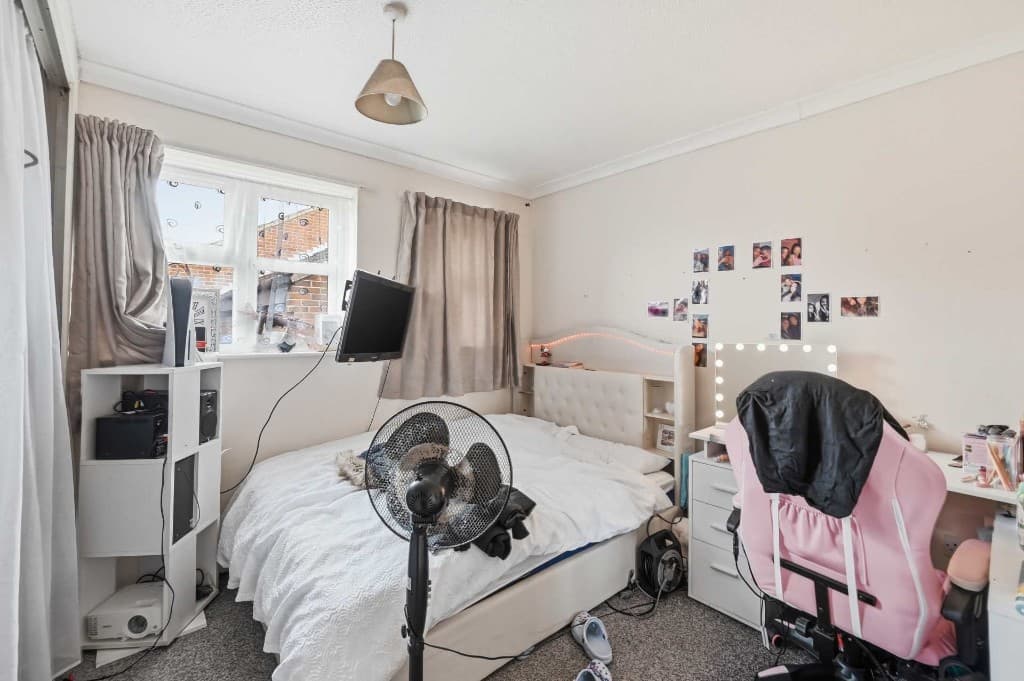 Original
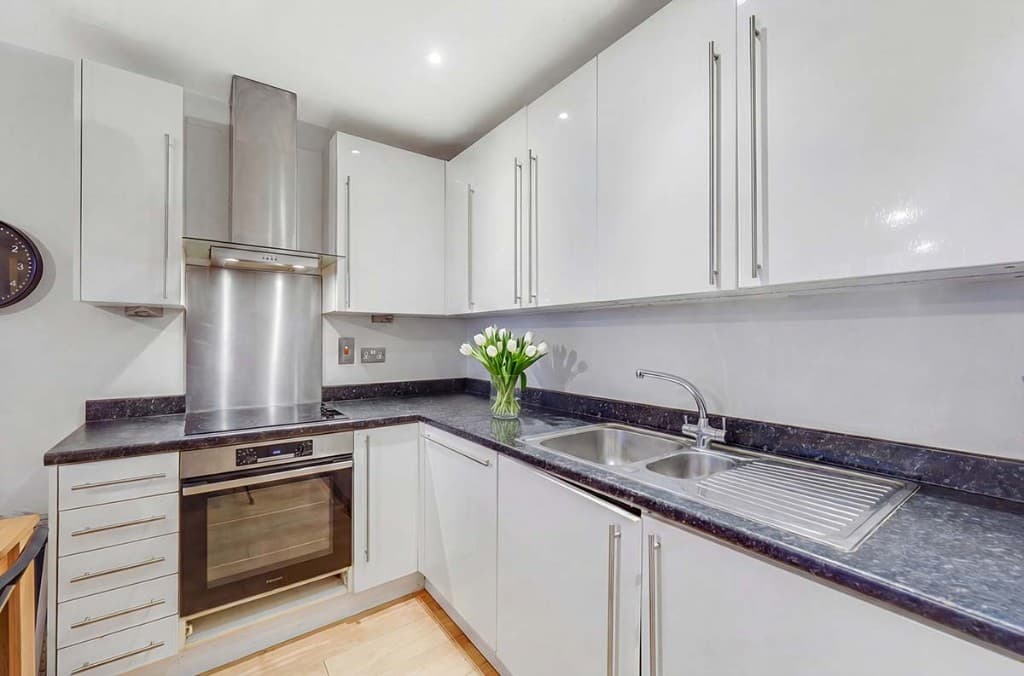 Edited
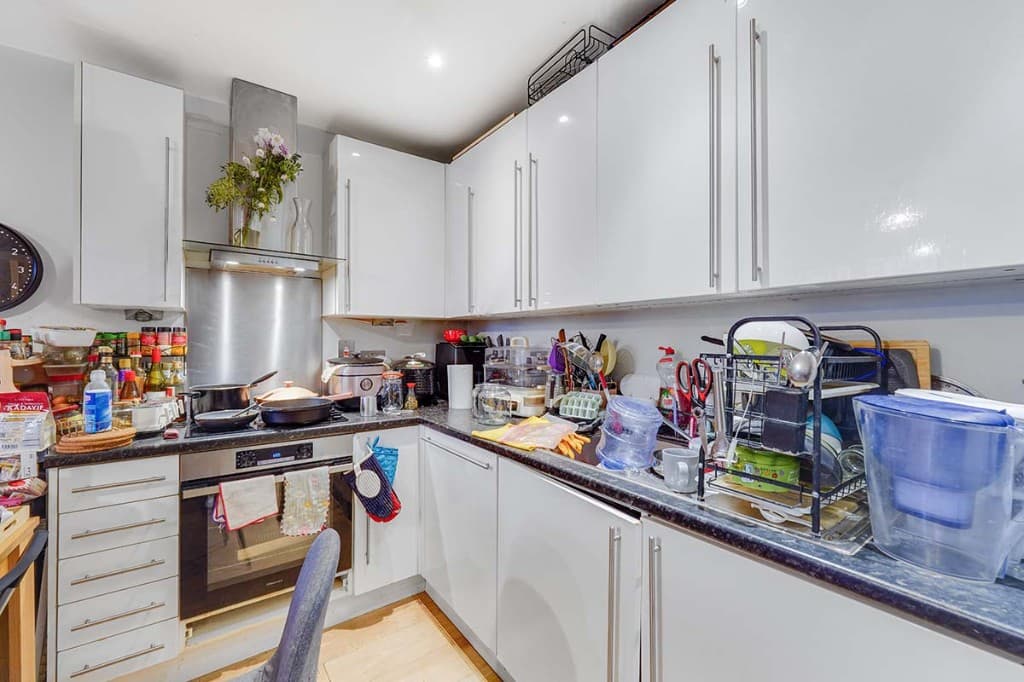 Original
The strongest transformation is often two steps: remove existing furniture with PhotoClear, then stage with fresh digital furniture in Virtual Staging Studio. Both sit in the ReHub ecosystem under one login.
Typical removals include:
Compare
Why most agents and photographers use AI for everyday cleanup.
| Factor | Manual / Photoshop | PhotoClear AI |
|---|---|---|
| Who does the work | A retoucher or in-house editor | You run it in the browser |
| Cost per photo | Typically billed per image | 1 credit per declutter |
| Skill needed | Photoshop expertise | Upload, preset or brush, then review |
| Turnaround | Often hours or a day | You start as soon as you upload |
| Review | Depends on the editor | You check the image before publishing |
| Best for | Complex, one-off hero edits | Everyday clutter, cars and bins |
FAQ
Answers to the questions people ask most about this PhotoClear tool.
Summary
PhotoClear removes furniture from photos in seconds, rebuilding floors and walls so you can show empty space or prepare rooms for virtual staging.
Explore further
Upload a room photo and clear the furniture with AI. Start free.
10 free credits on sign-up · No card required